
Fax.Plus Review 2026: Complete Test & Expert Verdict
The best all-round online fax service we've tested: the lowest entry price, a genuinely free tier, coverage in 190+ countries, and, new for 2026, AI tools that read and extract data from your faxes.
Pros
- Lowest entry price in the category: paid plans from $6.99/mo
- Free plan with 10 pages that renew every month (no credit card)
- Sends to 190+ countries with local numbers in major markets
- Swiss company with a serious compliance stack: ISO 27001, SOC 2 Type II, GDPR, CCPA, PCI DSS
- New AI tools: data extraction and searchable transcripts (Enterprise)
- Polished apps across web, iOS, Android, Mac, and Windows
- Free number porting and cloud integrations (Google Drive, Dropbox)
Cons
- HIPAA / signed BAA only on the Enterprise plan
- The new AI features are locked to Enterprise, out of reach for its core SMB users
- No built-in e-signature (handled by the separate Sign.Plus product)
- Free tier is send-only: receiving needs a paid number
Quick Verdict
Fax.Plus is the online fax service we recommend to the most people, and it's our #1 overall for a simple reason: it does the everyday job well, charges less than almost anyone for it, and backs that up with a compliance stack most rivals can't match. Paid plans start at $6.99 a month, the free tier actually renews instead of expiring, and you can send to more than 190 countries from day one.
It isn't the right tool for every job. HIPAA and the new AI features both live on the $79.99 Enterprise plan, so a small clinic or a solo user won't reach them. But for freelancers, small businesses, and anyone who faxes internationally, the value is hard to argue with.
Best for: freelancers, SMBs, and international senders who want reliable faxing at the lowest credible price. Skip it if: you need an affordable HIPAA plan for a small healthcare team. iFax or Documo fit that better.
What Is Fax.Plus?
Fax.Plus is an online fax service built by Alohi, a Geneva-based company founded in 2017. It's the flagship of a small product family that also includes Sign.Plus (e-signatures) and Scan.Plus (mobile scanning), and it lets you send and receive faxes from a browser, a phone, or a desktop without any hardware or phone line.
By 2026 it has grown past four million users across 190+ countries, largely on the back of two things: aggressive pricing and a Swiss privacy story that resonates with businesses nervous about where their data lives.
The interface is available in 20+ languages, the apps are genuinely good, and the company has steadily added the kind of compliance certifications (ISO 27001, SOC 2 Type II, PCI DSS) that you don't usually see at this price. The most recent addition is an AI layer (data extraction and text transcripts) that pushes Fax.Plus toward the document-automation territory once owned by specialists.
Who Fax.Plus Is Best For
- Freelancers and solo professionals: a real free tier and a $6.99 entry plan make it the cheapest way to fax professionally.
- Small businesses: the Business plan adds five members, an admin console, and Slack for $27.99, enough structure for most small teams.
- International senders: 190+ country coverage and local numbers in major markets make it a natural fit for cross-border work.
- Privacy-conscious organizations: Swiss data residency plus ISO 27001 and SOC 2 Type II is a strong story for European and security-minded buyers.
- High-volume inbound teams (Enterprise): the AI extraction tools turn inbound faxes into structured data, useful if you process documents at scale.
Who Should Skip Fax.Plus
Fax.Plus is a strong default, but it's the wrong pick in a few clear cases:
- Small healthcare teams on a budget: HIPAA is Enterprise-only at $79.99/month. A two-person clinic that needs a BAA will pay far less with iFax ($24.99) or get healthcare-specific automation from Documo.
- Buyers who want the AI on a cheaper plan: the data-extraction tools don't exist below Enterprise, so they're out of reach for the SMB users Fax.Plus otherwise serves best.
- Anyone who needs built-in e-signature: that's a separate Sign.Plus subscription, not part of the fax product.
- US enterprises with federal requirements: if a contract demands HITRUST, eFax is the safer answer.
Key Features
Sending and Receiving
The core experience is clean and quick. You upload a PDF, Word, Excel, PowerPoint, or image file, pick a recipient, and send. No cover-page busywork unless you want one. Paid plans come with a dedicated number for receiving, and incoming faxes arrive as PDFs in your inbox and the app. Maximum pages per fax scale with the plan, from 60 on Basic up to 250 on Enterprise, which matters more than it sounds the first time you try to send a long contract.
The Free Plan
The free tier is the headline feature, and it's more honest than most. You get 10 pages a month, and the allowance refills every month rather than expiring after a one-time credit. The catch is that it's send-only: receiving faxes needs a dedicated number, which starts on the paid plans. For occasional outbound use, though, it's genuinely free forever.
Apps Across Every Platform
Fax.Plus ships polished apps for web, iOS, Android, Mac, and Windows, plus email-to-fax. The mobile apps include a document scanner, so you can photograph a paper page and fax it without a printer in sight. Feature parity across platforms is good. You're not stepping down to a cut-down mobile version.
Cloud Integrations and Porting
Native Google Drive and Dropbox integrations let you fax straight from cloud storage and save received faxes back to it. If you're switching providers, number porting is free and available from the Premium plan up, so you keep the fax number your contacts already have.
How to Send a Fax with Fax.Plus (Step by Step)
We sent a batch of multi-page test documents through a live Enterprise account. Here's the whole flow, screen by screen. Start to finish it takes about thirty seconds, and there's no wizard or upsell in the way.
Step 1: Pick a recipient and drop in your file
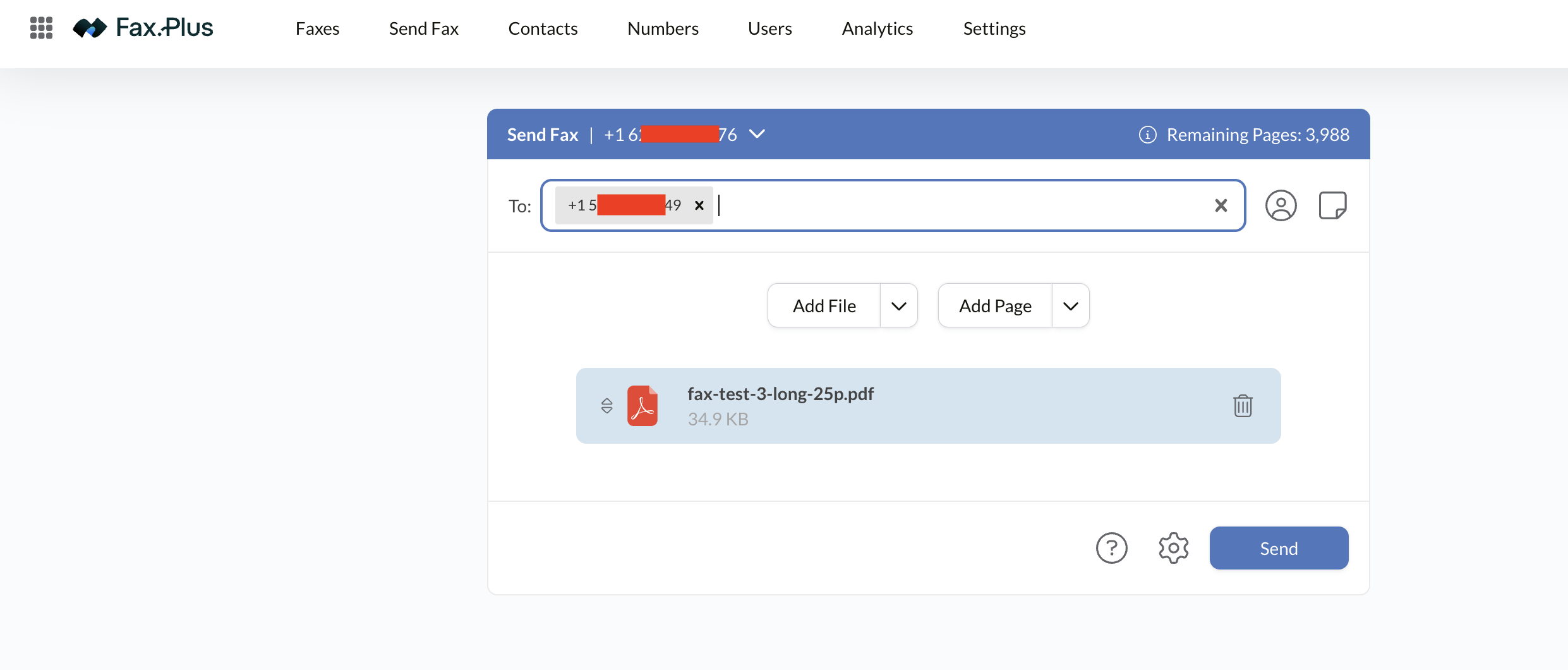
Open Send Fax, type the destination number or pull it from your contacts, then add your document with Add File. PDF, Word, Excel, PowerPoint, and image files all work. Notice the Remaining Pages counter in the top right. You always know what's left on your plan before you hit send, which is a small thing most services get wrong.
Step 2: Check the send options (optional, but do it once)
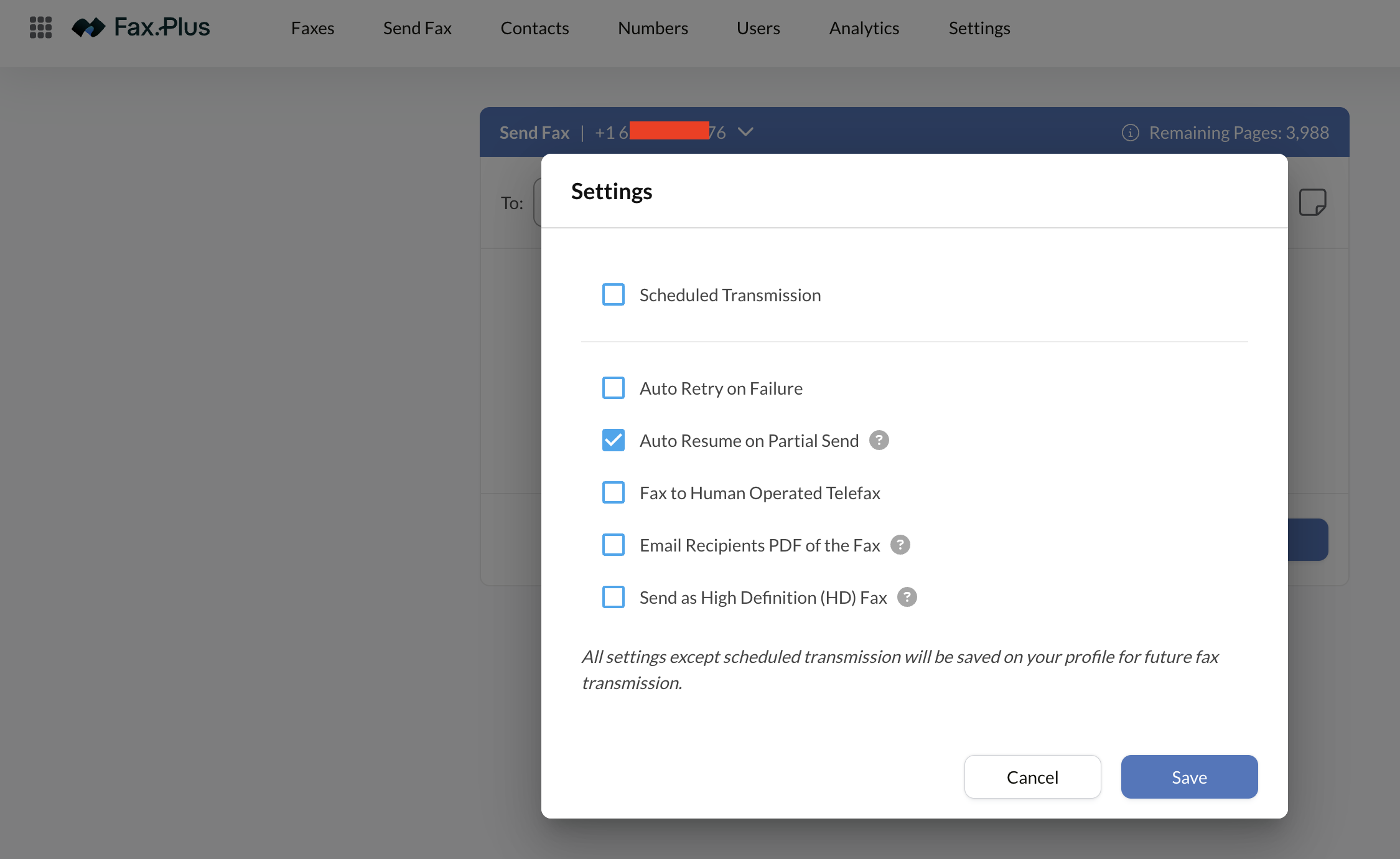
The gear icon opens a set of per-fax options that Fax.Plus barely advertises, and a couple of them are worth knowing about:
- Scheduled Transmission: queue a fax for a specific time. Handy across time zones or when you want something to land during business hours.
- Auto Retry on Failure: redials automatically when the receiving line is busy.
- Auto Resume on Partial Send: if the line drops at page 14 of 25, it picks up where it left off instead of re-sending the whole document and charging you for all 25 pages again. This is the one that was already switched on by default, and it's easily the most useful of the bunch.
- Fax to Human Operated Telefax: for when a person answers the line instead of a machine.
- Email Recipients a PDF of the Fax: emails a copy alongside the fax.
- Send as High Definition (HD) Fax: higher resolution for image-heavy pages.
Everything except scheduling sticks to your profile, so you set it once and forget about it.
Step 3: Choose Standard or HD
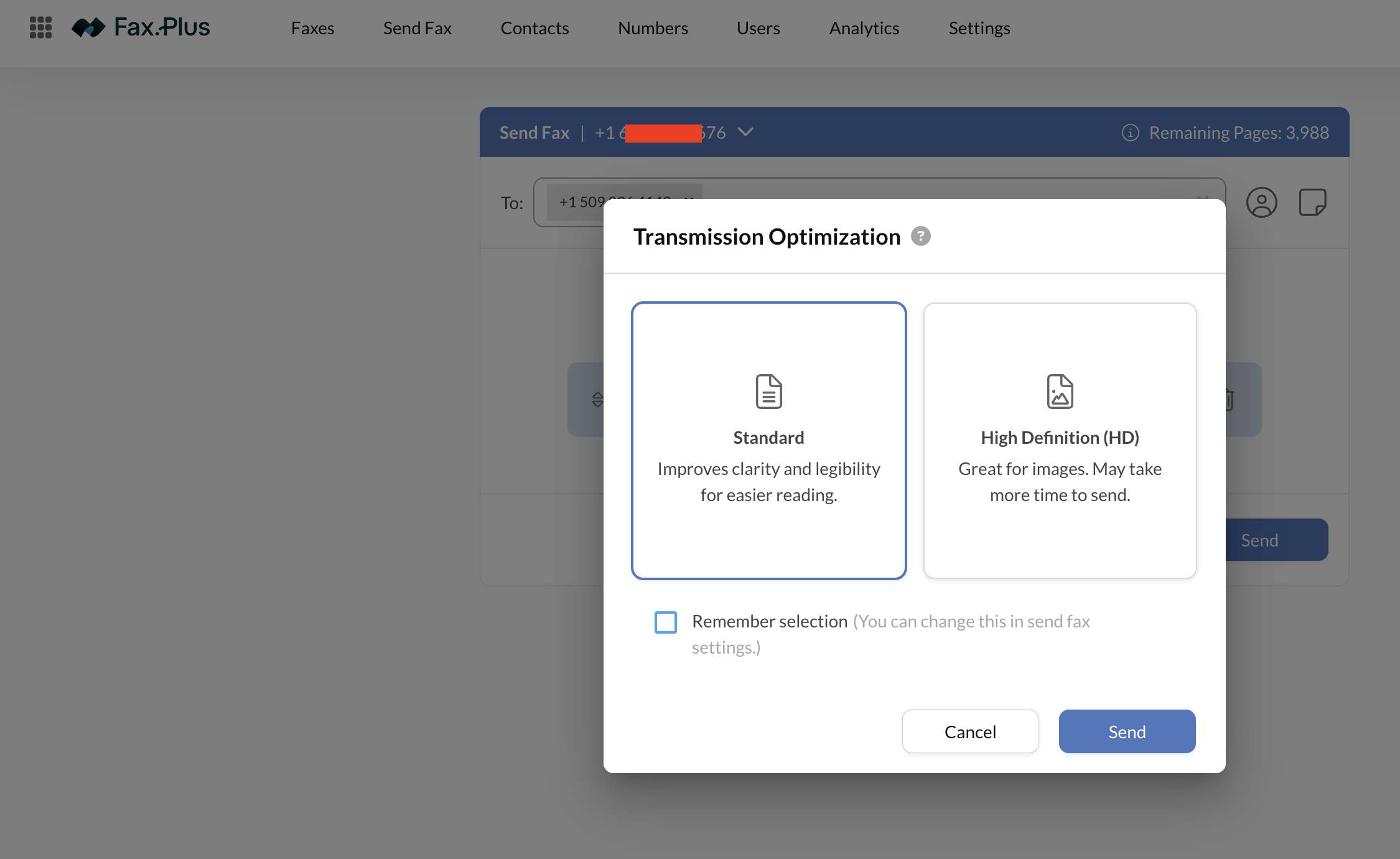
Hit Send and Fax.Plus asks one question: Standard or High Definition. Standard sharpens text for readability. HD is meant for images and takes longer to go through. Check "remember selection" if you don't want to be asked again. It's a minor prompt, but it's the right one. Text documents and photos really do need different handling, and most services just pick for you.
Step 4: Confirmation, with a realistic time estimate
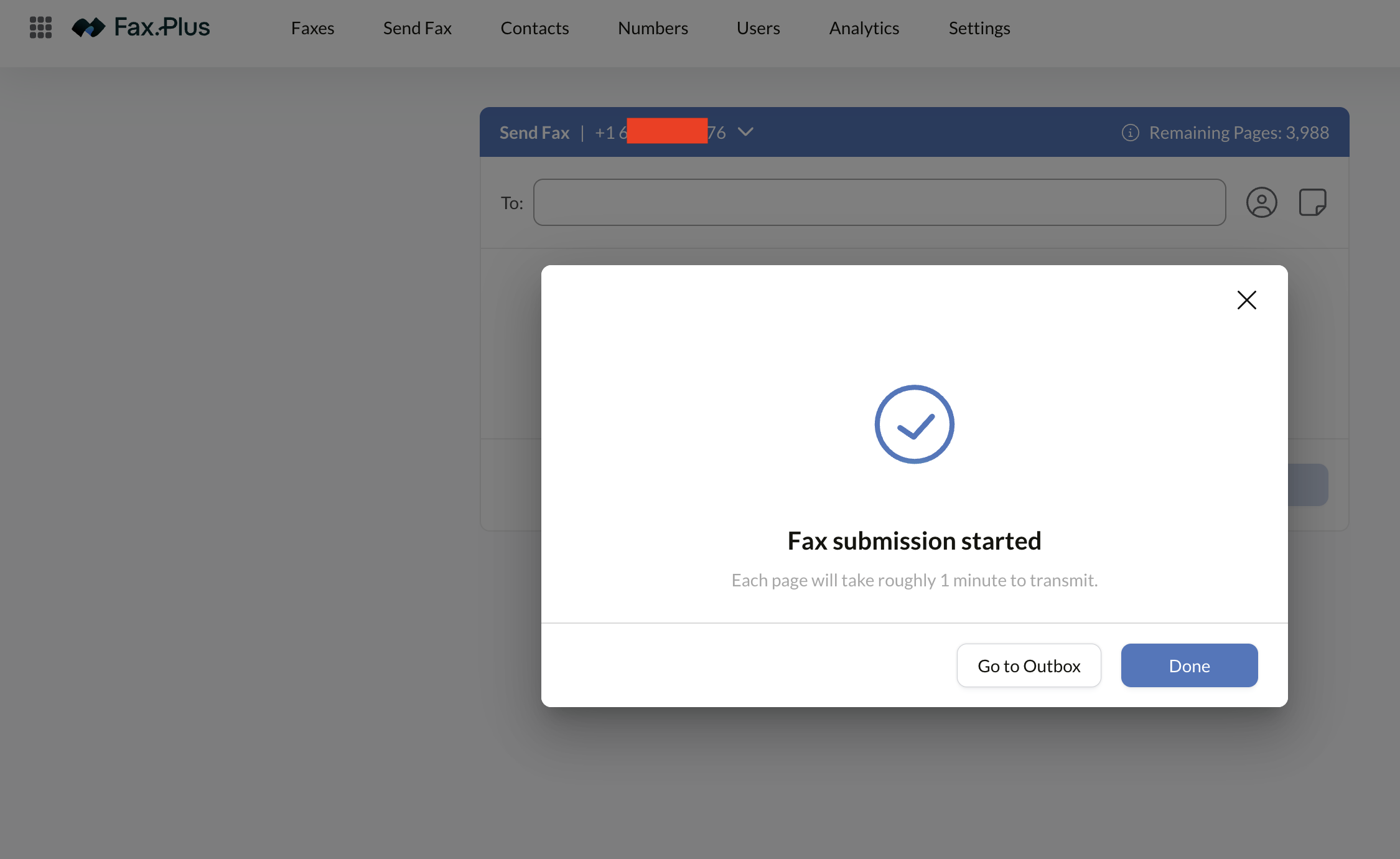
You get a plain confirmation that the submission started, plus an actual estimate: about one minute per page. For a 25-page document, that tells you to expect roughly half an hour rather than leaving you refreshing a screen wondering if it worked. Small detail, but it's the honest answer.
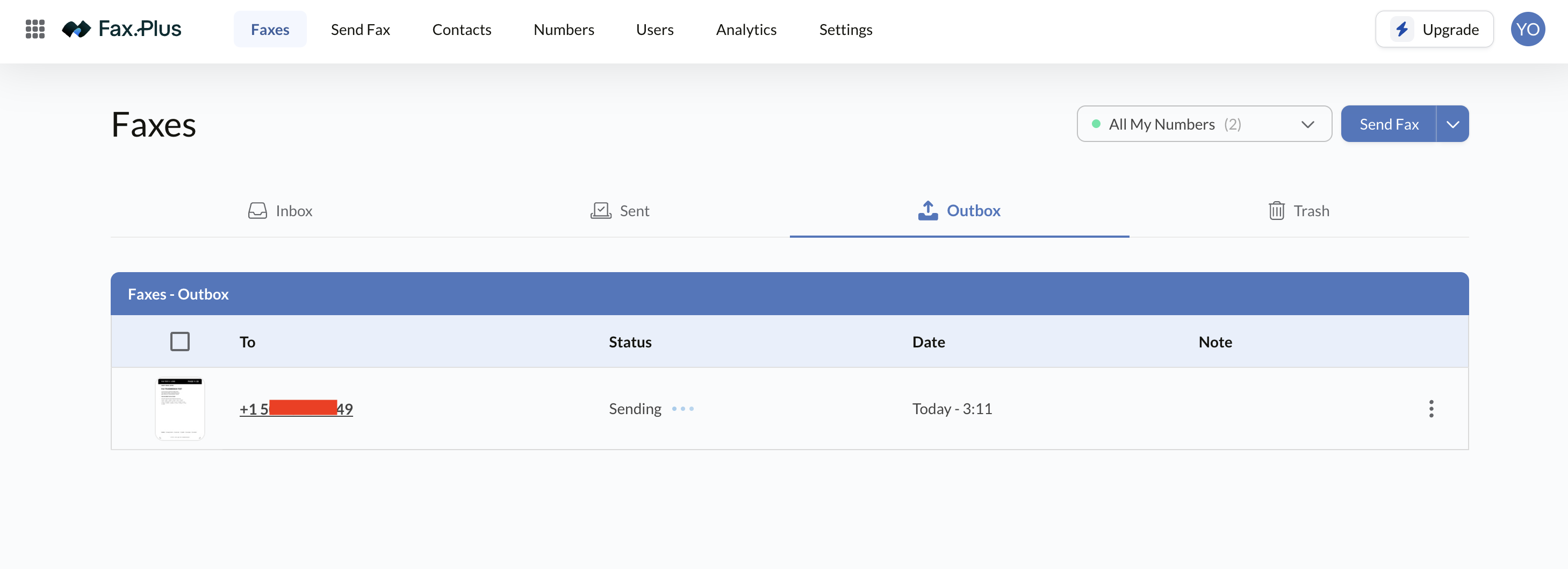
Step 5: Track it in the Outbox
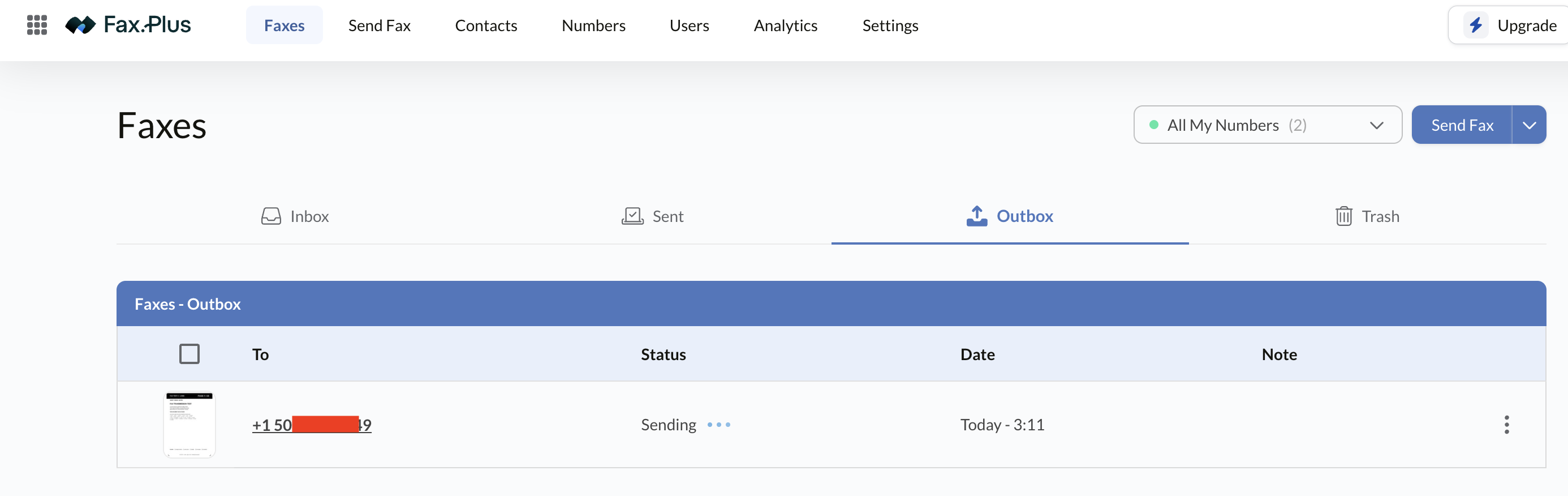
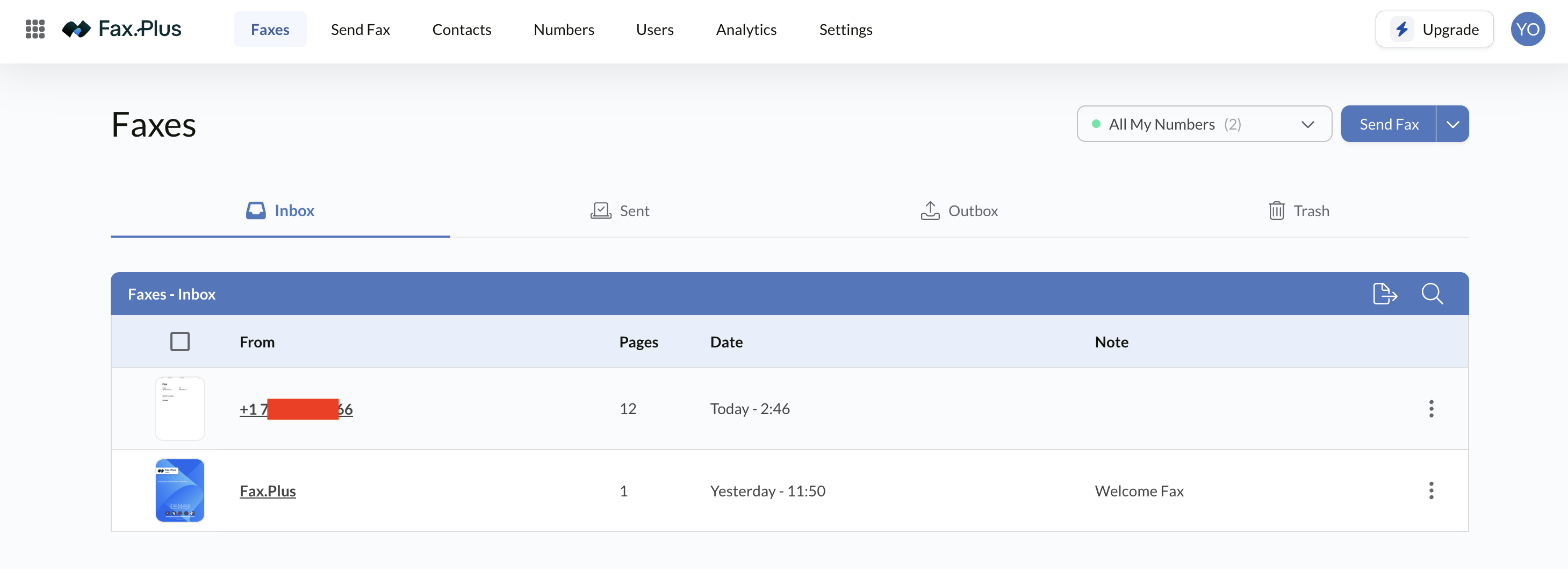
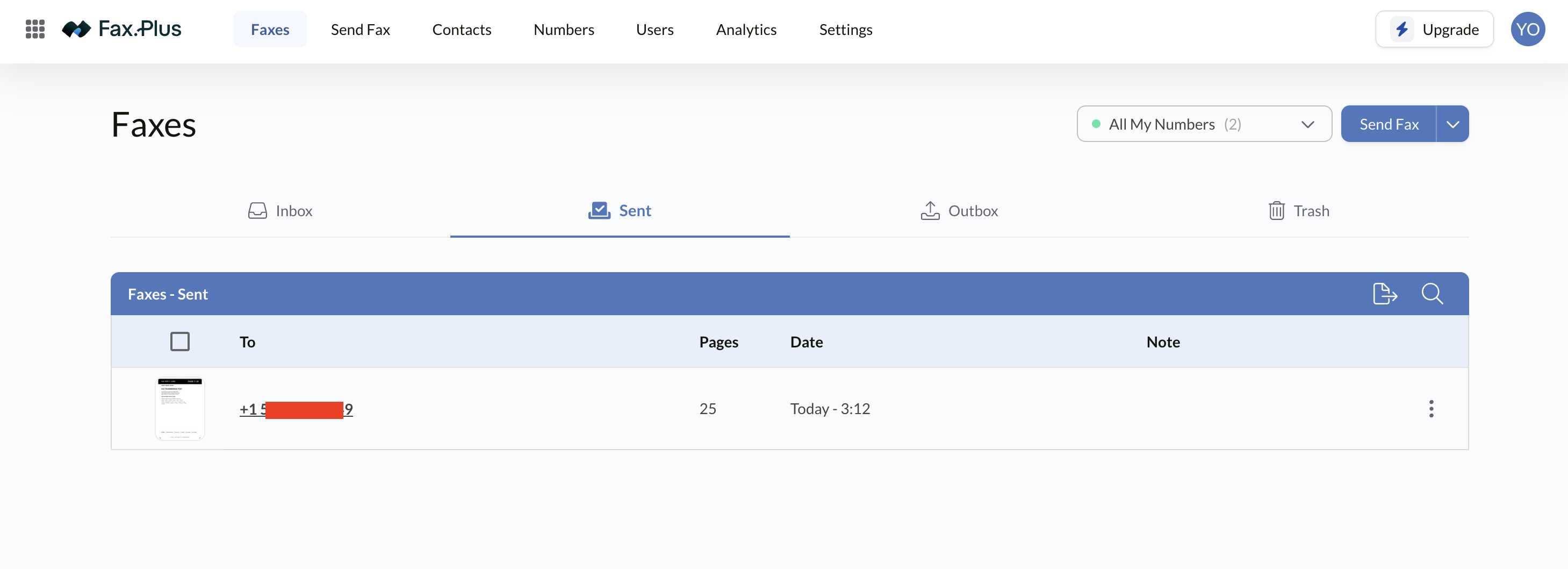
The fax lands in the Outbox with a live Sending status, then moves to Sent with the page count and timestamp once it goes through. Inbox, Sent, Outbox, and Trash are kept separate, each one filterable by number if you hold more than one, with search and export on every list. If you'd rather skip the web app entirely, Email to Fax and Print to Fax both do the same job from your inbox or any print dialog.
Inside the Fax.Plus Interface
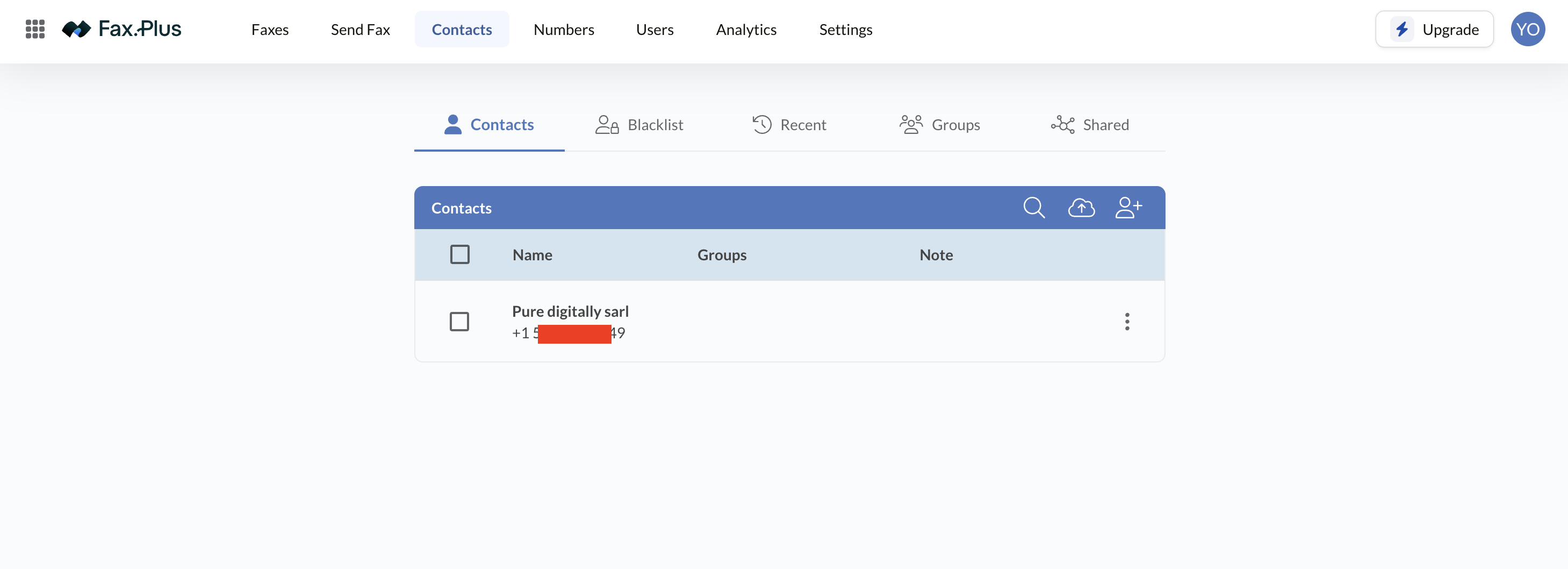
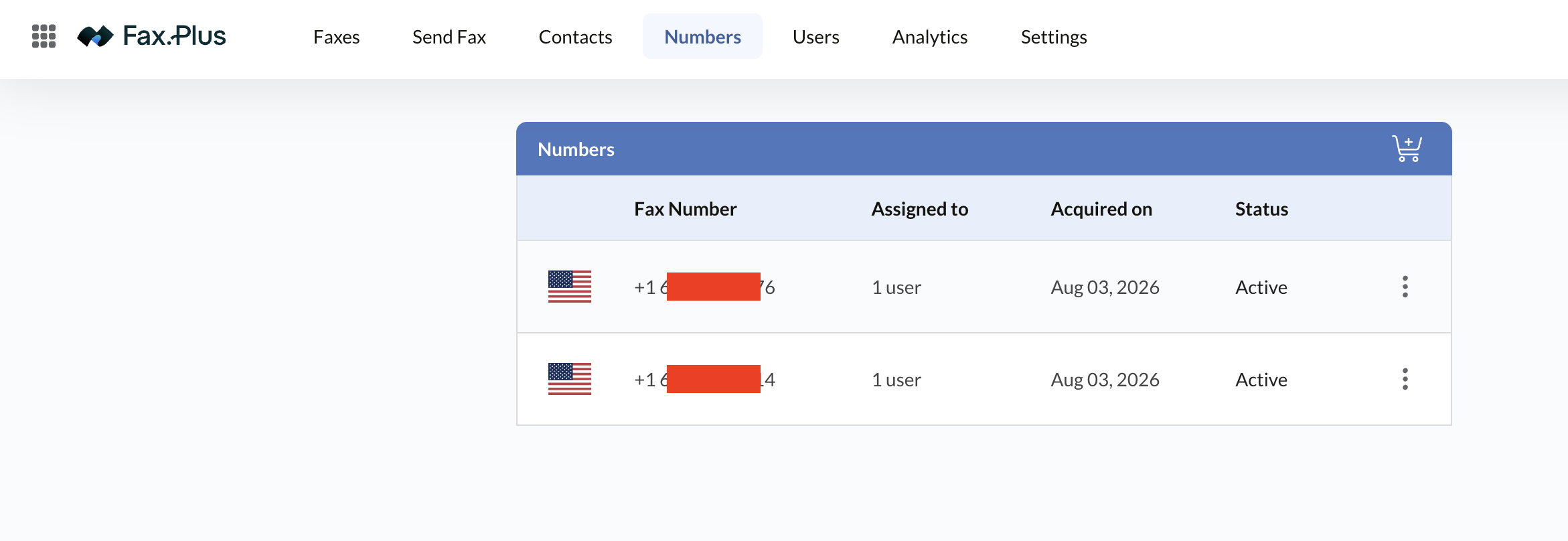
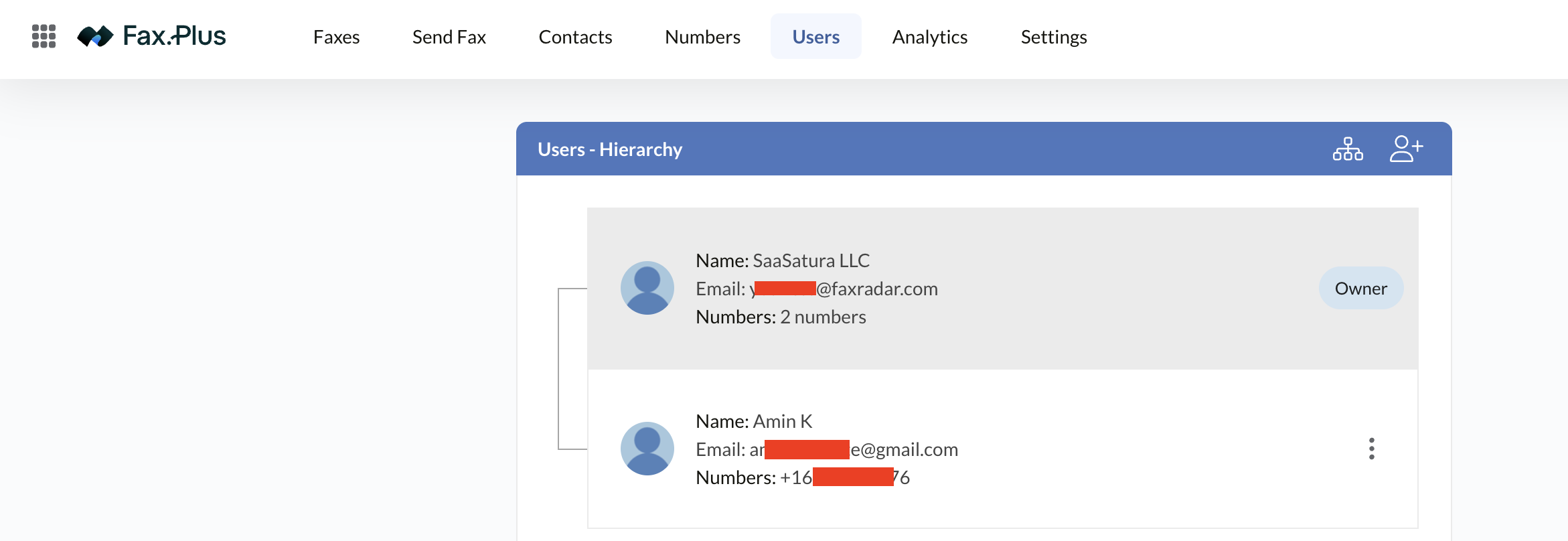
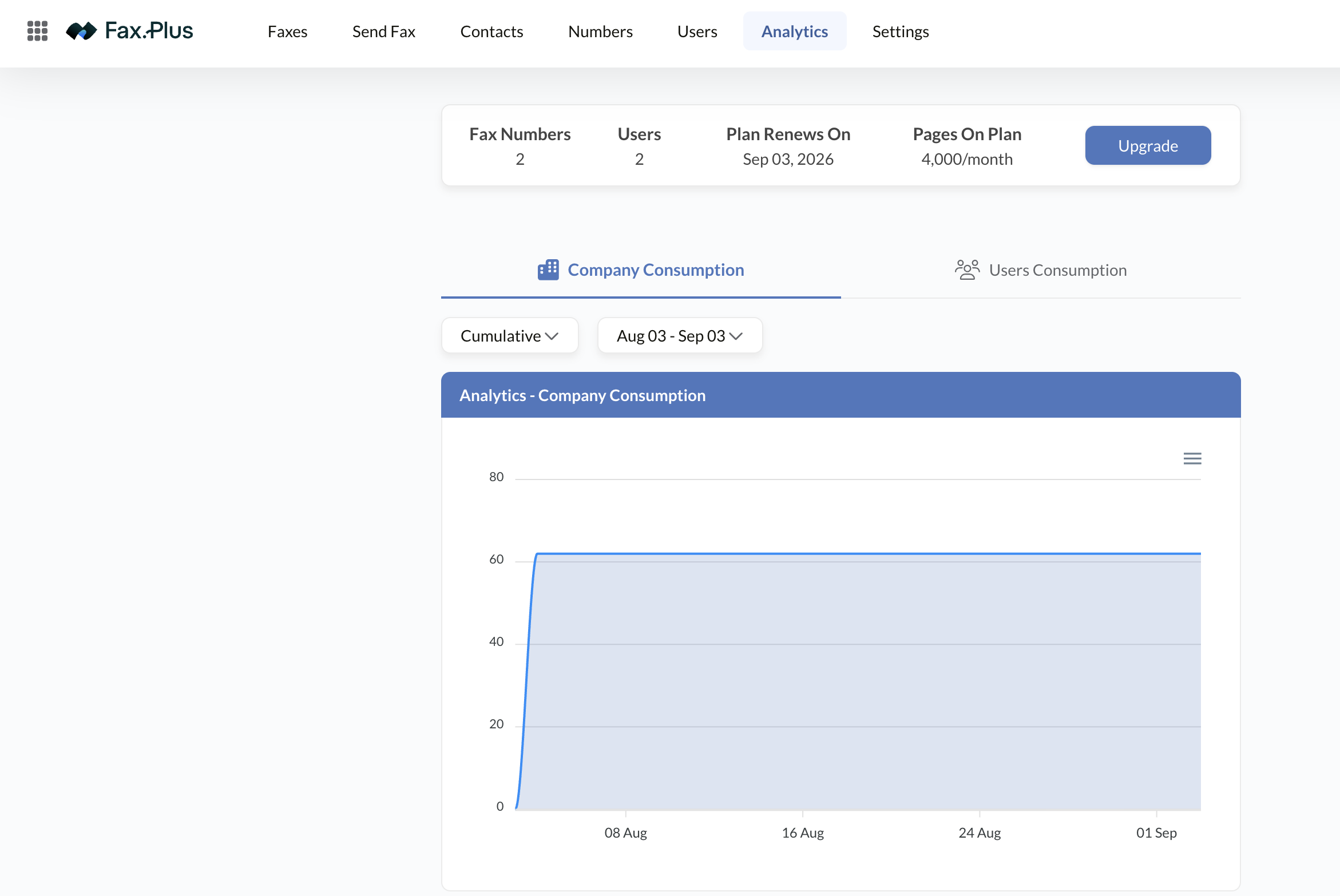
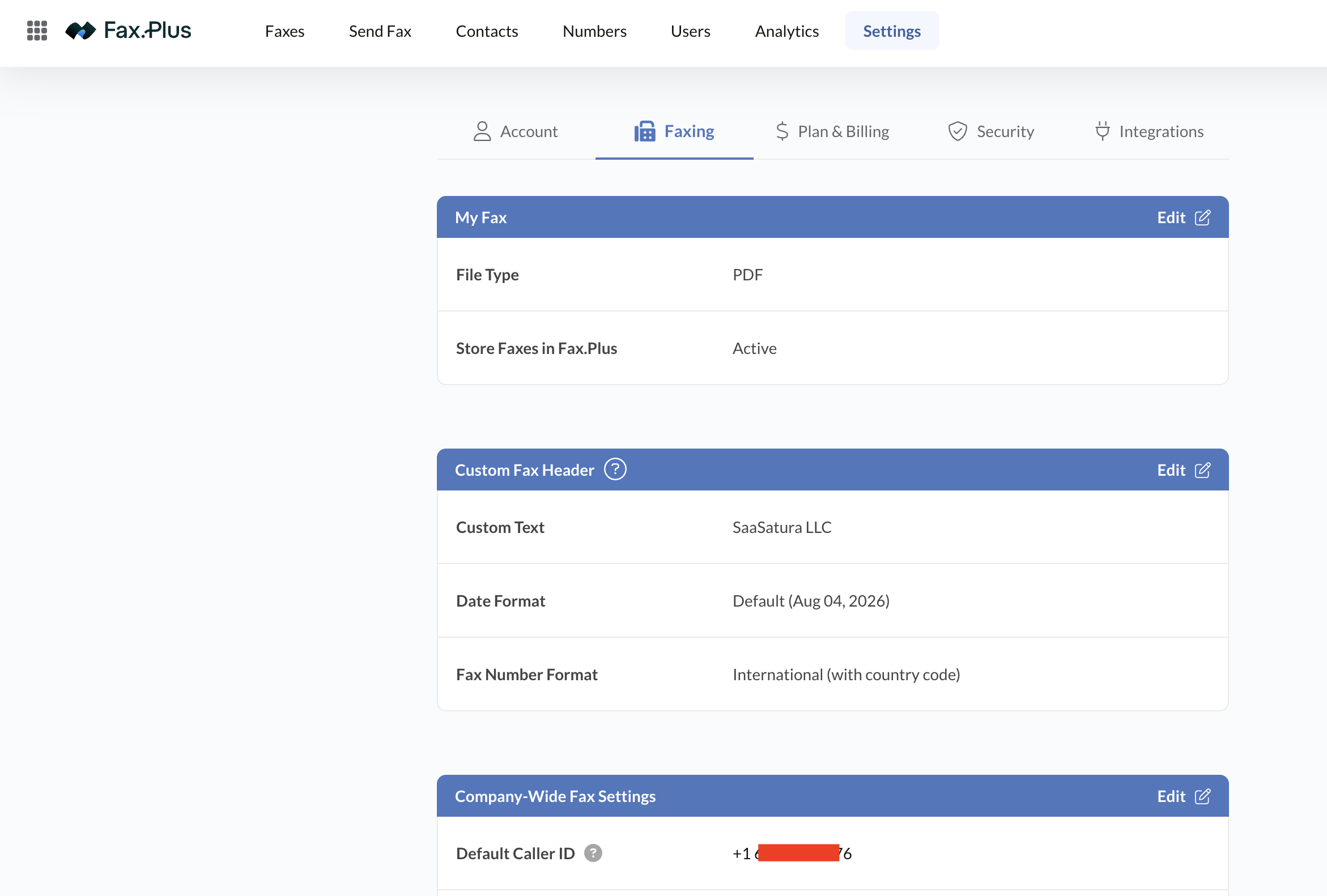
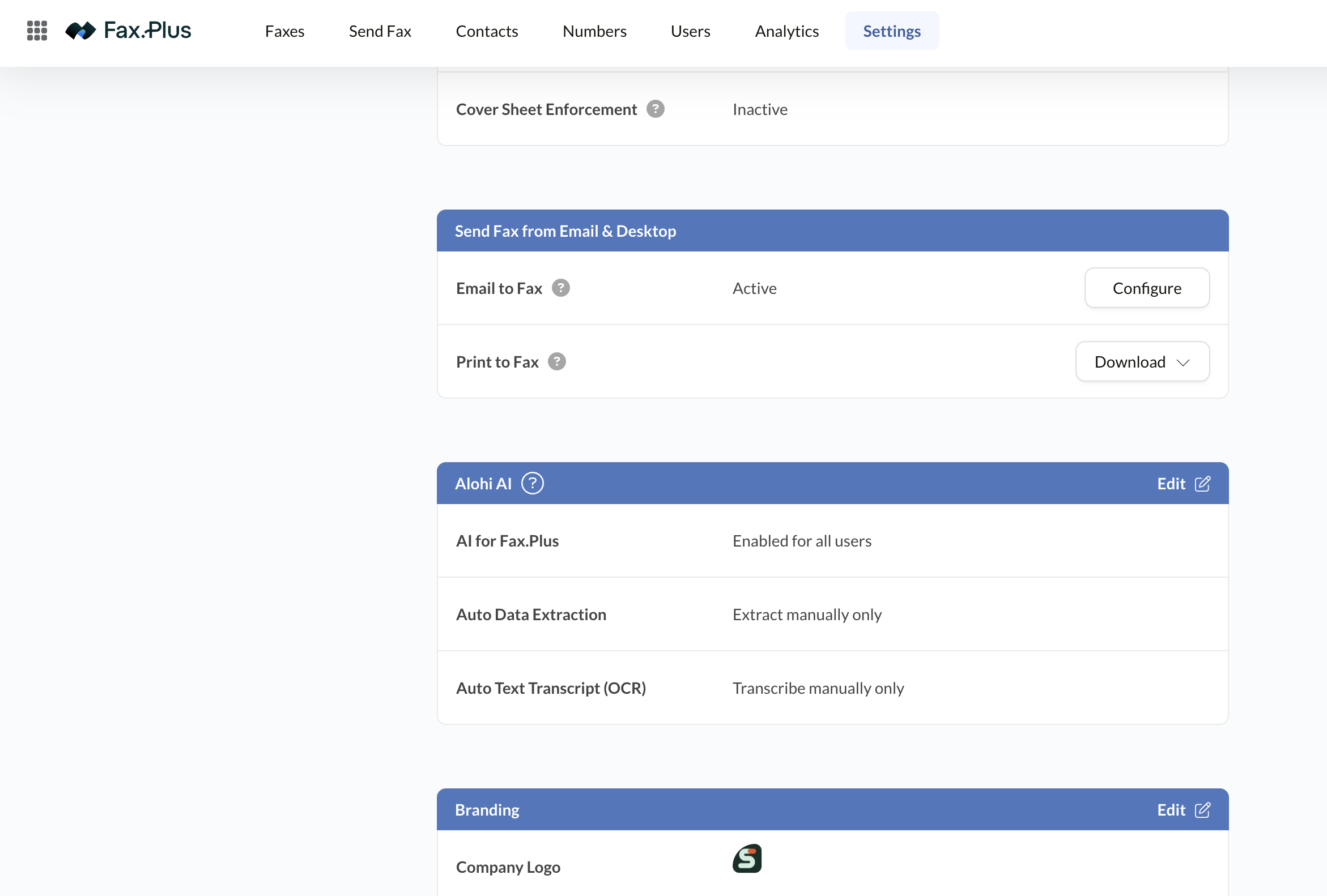
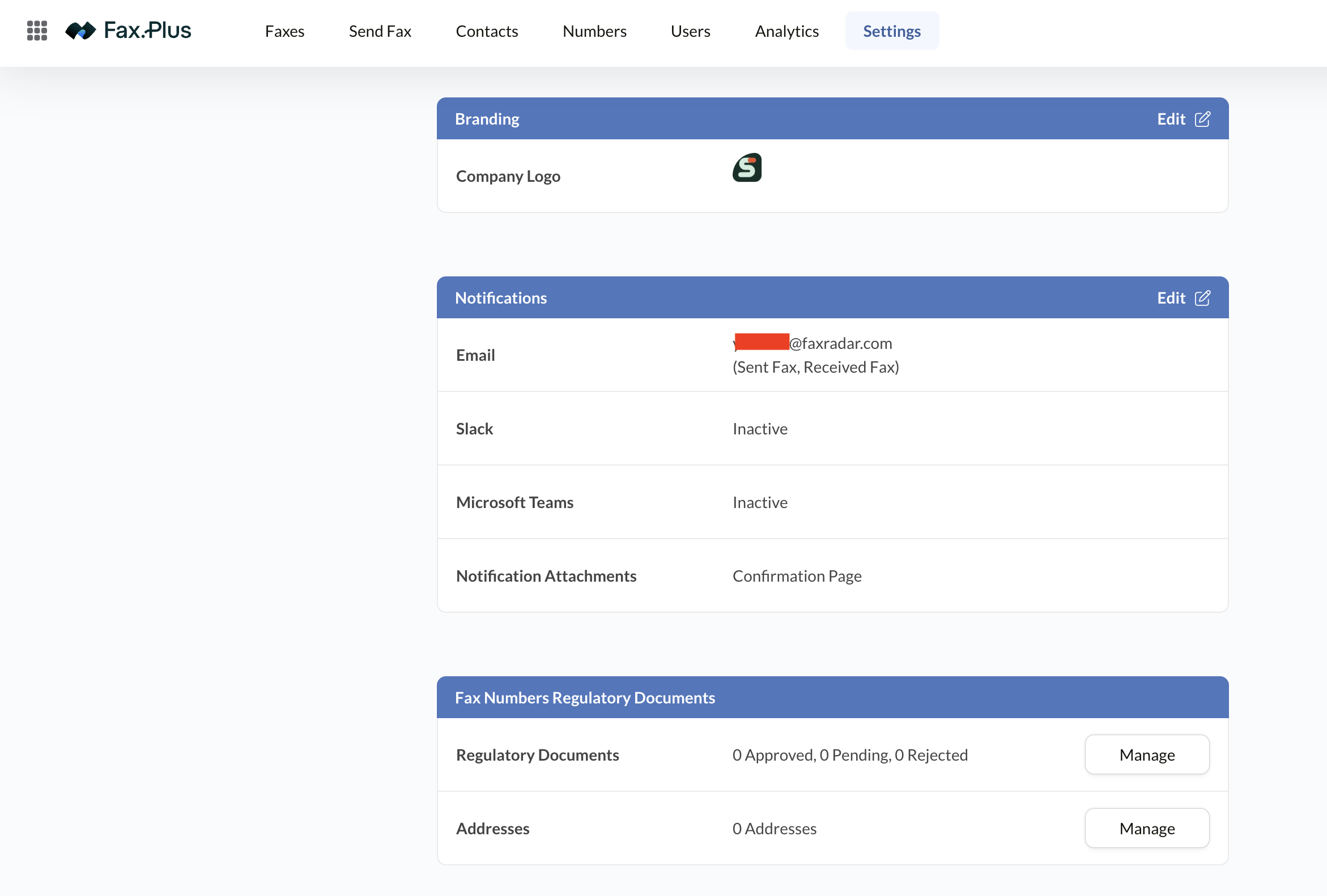
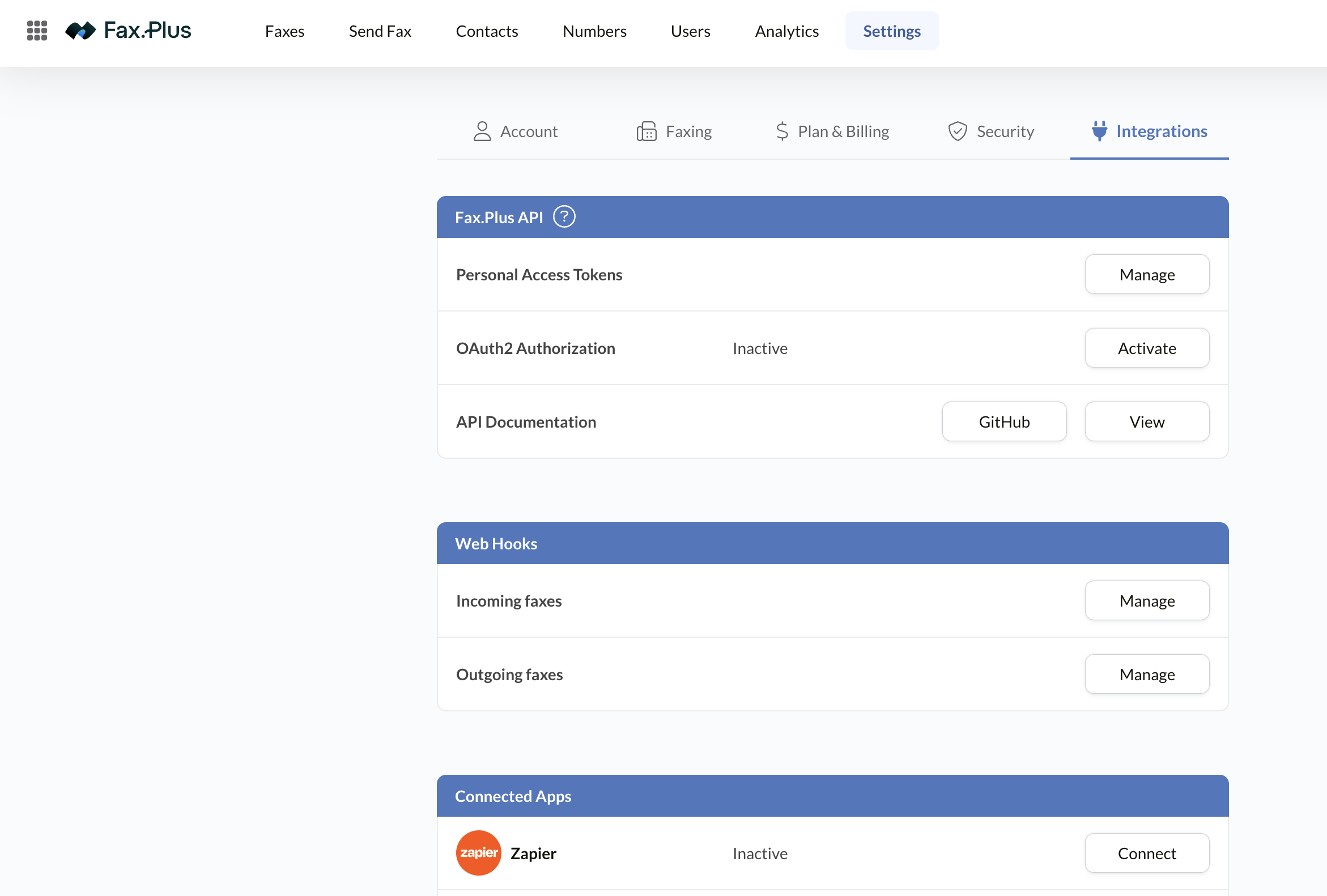
Screenshots from the Enterprise account we tested, covering the parts of the product you'll actually live in: the fax lists, contacts, numbers, users, analytics, and the settings that matter for security and compliance. Swipe or use the arrows.
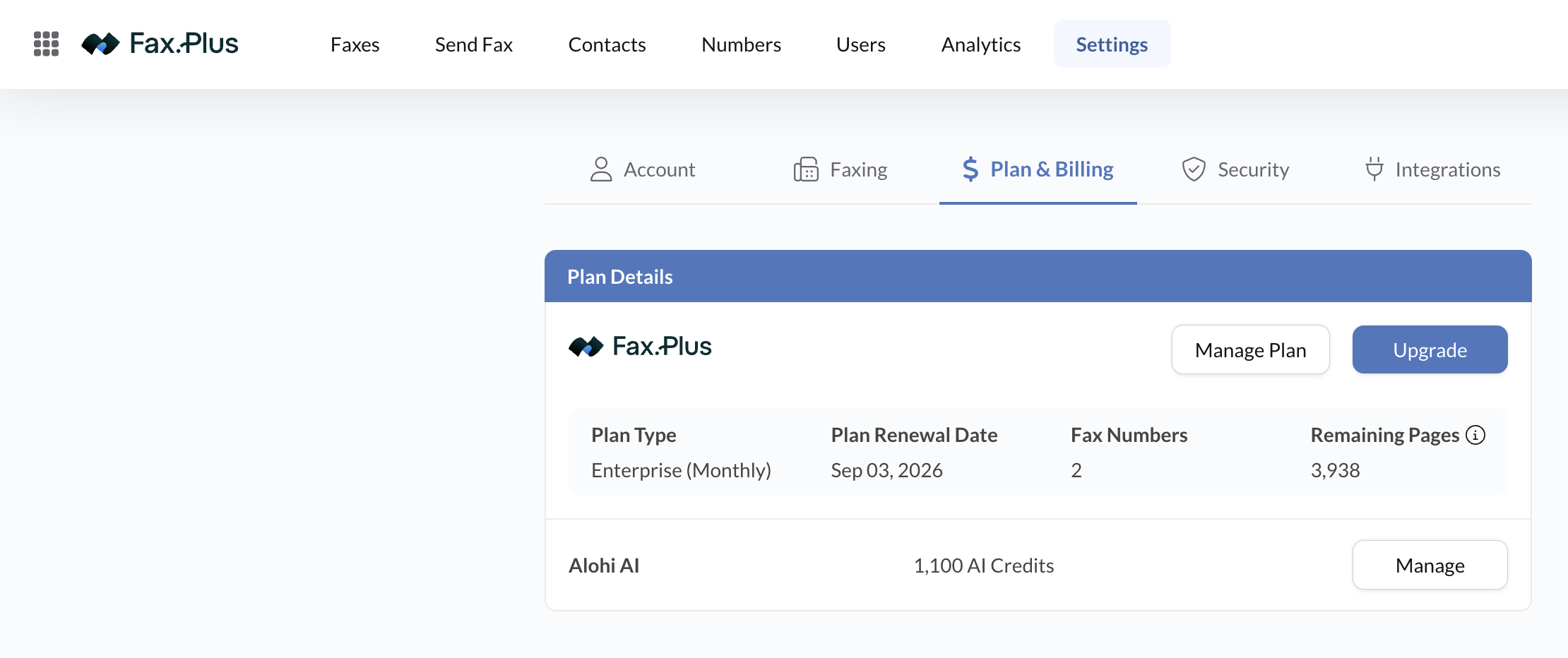
Fax.Plus AI: Credits, Data Extraction & Text Transcript
The most significant change to Fax.Plus in 2026 is an AI layer that turns a received fax from a flat image into usable data. It runs on a credit system, and the Enterprise plan includes 1,000 renewable AI Credits a month.
You trigger the tools on demand from the document viewer's Alohi AI panel, or an admin can set them to run automatically on every inbound fax so the output is waiting the moment a fax lands. Results are cached per fax, so reopening a document later doesn't burn another credit. There are two features worth understanding.
What AI Credits Are
Credits are simply the metering system for AI processing. Each time you run an AI tool on a fax, it consumes credits, and Enterprise's 1,000-a-month allowance is enough for steady daily use without thinking about it. Because results are cached, you pay once to process a document and can refer back to it freely.
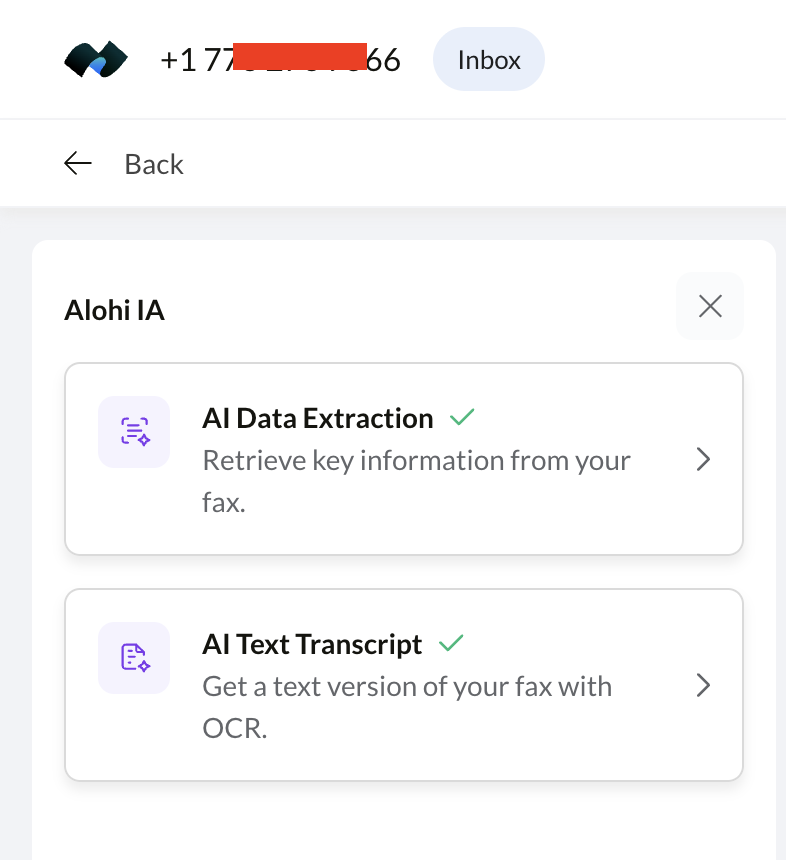
AI Data Extraction
This is the genuinely useful one. The AI detects fields on its own, or you can define your own (patient name, date of birth, order number, claim ID), and it returns them as structured key-value pairs instead of a wall of text.
The output drops straight into an EHR, EMR, CRM, or billing system, and you can copy or export it, so a stack of inbound faxes becomes rows of data your team can act on without manual re-keying. For a back office that retypes faxed forms all day, that's a real reduction in busywork.
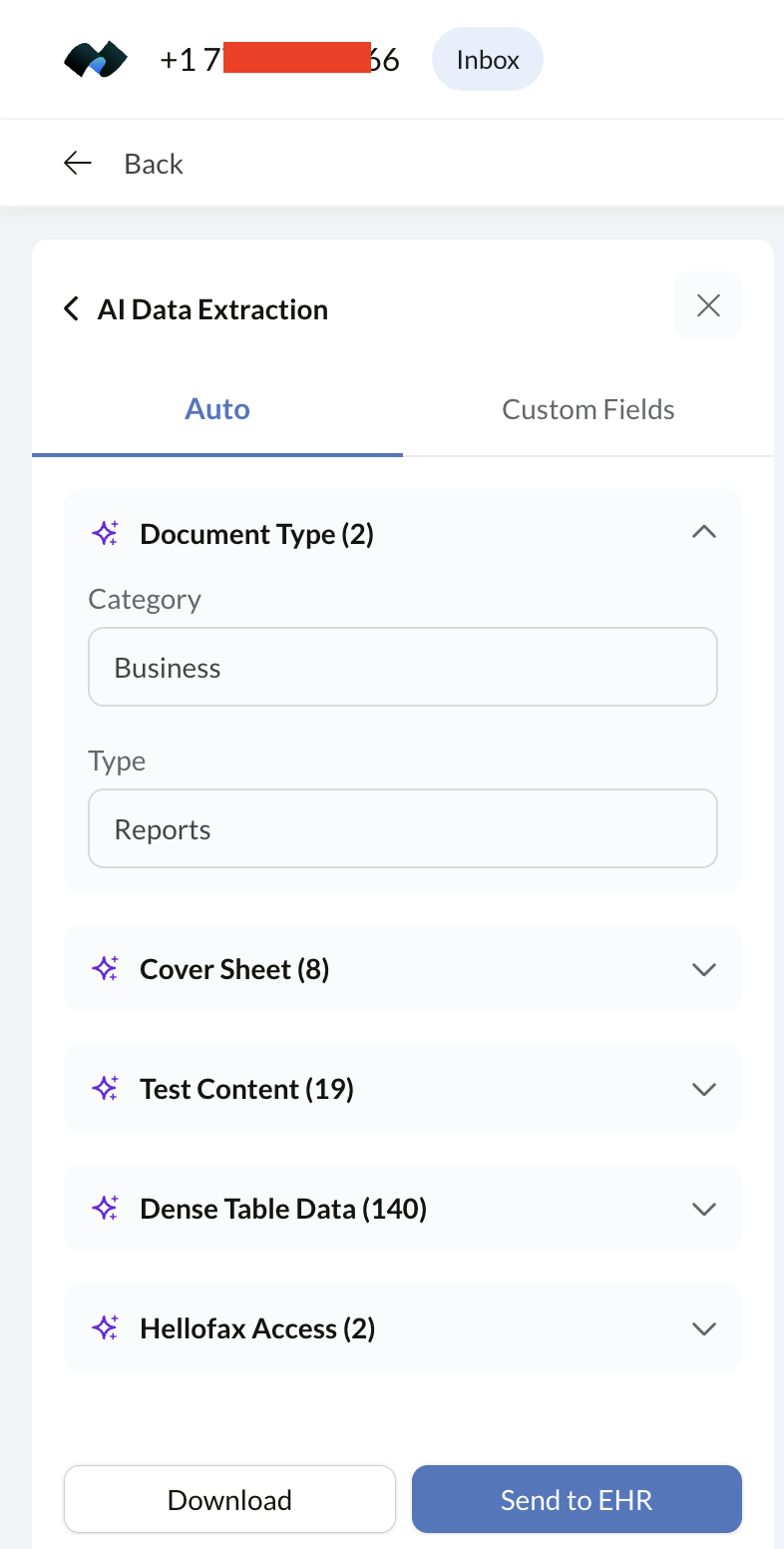
We ran it against a received multi-page test document to see the real output rather than a demo. There are two modes: Auto, where the AI decides what's worth pulling out, and Custom Fields, where you name the fields yourself.
In Auto mode it classified the document first (category Business, type Reports), then grouped what it found by section with a count against each: 8 values off the cover page, 19 from a body section, and 140 from a single page of dense tabular data. Each group expands on its own, and the whole result can be downloaded or pushed to an EHR from the same panel.
That table number is the one that matters. Pulling 140 separate values out of one page of small-print tabular data (the kind that turns to grey mush on a normal fax) is well past what ordinary OCR manages, and it's exactly the pile that generates manual re-keying in a back office. Admins can also set extraction to run automatically on every inbound fax, so the structured output is already sitting there when someone opens it.
AI Text Transcript
Text Transcript turns a fax into a complete, searchable text document you can copy, share, or save as a .txt file, and it copes well with whatever lands, from clean printed pages to typed letters to the messy mixed-format faxes that trip up basic OCR. It's effectively OCR with a higher tolerance for real-world fax noise. Handy for archiving and search, but more of a convenience than a workflow change on its own.
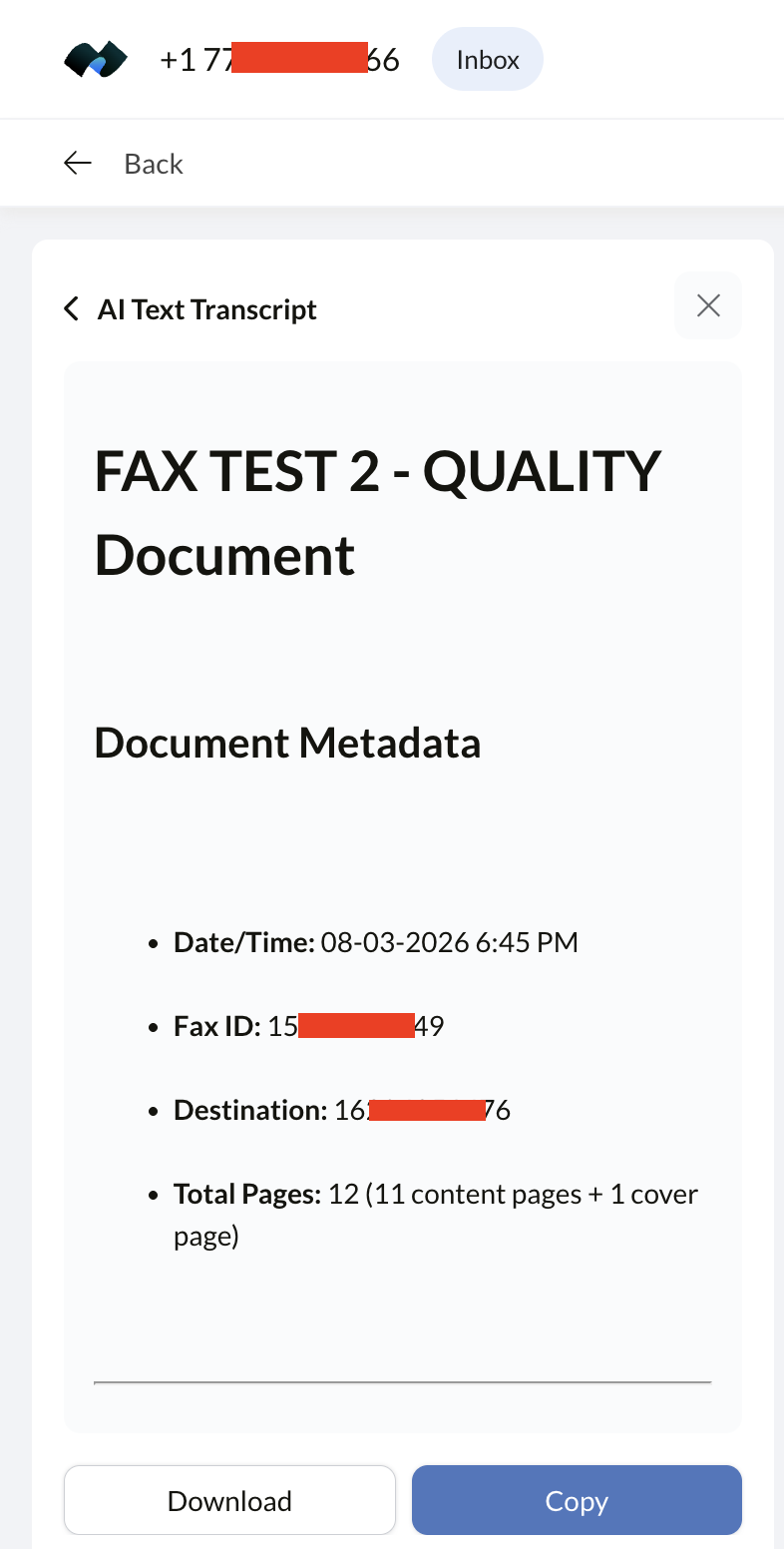
On our test fax it transcribed the whole thing, page by page, rather than skimming it. The cover sheet came back as a proper table with the From, To, page-count and message rows intact.
After that it worked through every content page in order, keeping the per-page markers we'd printed on them, right down to the verification word on each page, along with the headings, the intro paragraphs and the bulleted lists, in the original reading order. It also opened with a metadata block giving date and time, fax ID, destination number and a page count split into content pages plus cover sheet.
Getting the small per-page markers back is the detail worth noting: those are exactly the fine, low-contrast text that ordinary fax OCR drops. The result copies to the clipboard or downloads as a file. It's still the lighter half of the pair next to Data Extraction (a transcript is text, not structured data you can pipe into a system), but for search, archiving and proving what a fax actually said, it does the job properly.
Real Value or Just a Convenience?
It depends entirely on your volume and where it sits. For a high-inbound operation (a billing company, an insurance back office, a clinic that drowns in faxed forms), Data Extraction is a legitimate automation win that replaces hours of typing. Text Transcript is the lighter, nice-to-have half. The honest catch is placement: all of it is Enterprise-only. Fax.Plus's natural audience is cost-conscious SMBs and individuals, and none of them can touch the AI without jumping to the $79.99 tier.
So the AI strengthens Fax.Plus as an enterprise contender, but it doesn't do much for the buyers who pick Fax.Plus in the first place. If document automation is your core need rather than a bonus, Documo built its whole platform around it and is worth comparing.
International Faxing and Coverage
Coverage is where Fax.Plus quietly pulls ahead of the US-centric competition. You can send to more than 190 countries, and local or toll-free numbers are available across major markets: the US, UK, Canada, Australia, and much of Europe.
For a company with offices or clients in more than one country, that breadth removes the usual headache of stitching together regional providers. It's also why Fax.Plus tops our rankings outside the United States: a service that treats international faxing as a first-class feature rather than an afterthought is rare.
Team Collaboration & Enterprise Deployment
Fax.Plus scales along a sensible path. Solo users sit on Basic or Premium. The Business plan ($27.99/month) is the team tier: five members, a shared admin console, role control, CSV export, and a Slack integration that posts fax activity where your team already works. For most small and mid-sized teams, that's the sweet spot.
Enterprise is a different animal: unlimited members, SSO, an analytics dashboard, centralized administration, a signed BAA for HIPAA, and the AI tools. It runs $79.99/month billed annually (or $99.99 month to month) and starts at 4,000 pages a month, with the allowance scaling on request up to around 500,000 pages for high-volume deployments. If you're rolling fax out across a regulated organization and need identity management and audit-grade controls, this is the tier that delivers them, and it's competitive against heavier enterprise platforms.
One practical note if you're buying for a team: the published Enterprise price is a starting point, not a fixed rate. Because the page allowance is configured per deployment, anyone expecting serious volume, or needing a BAA, SSO and data residency written into a contract, is better off talking to Alohi's sales team than self-serving the checkout. For a single user or a small team, ignore this entirely. Basic, Premium or Business self-serve is faster and cheaper.
Integrations, API and Automation
Fax.Plus is more automatable than its price suggests, though the pieces are spread across the admin console rather than advertised together.
Connected apps
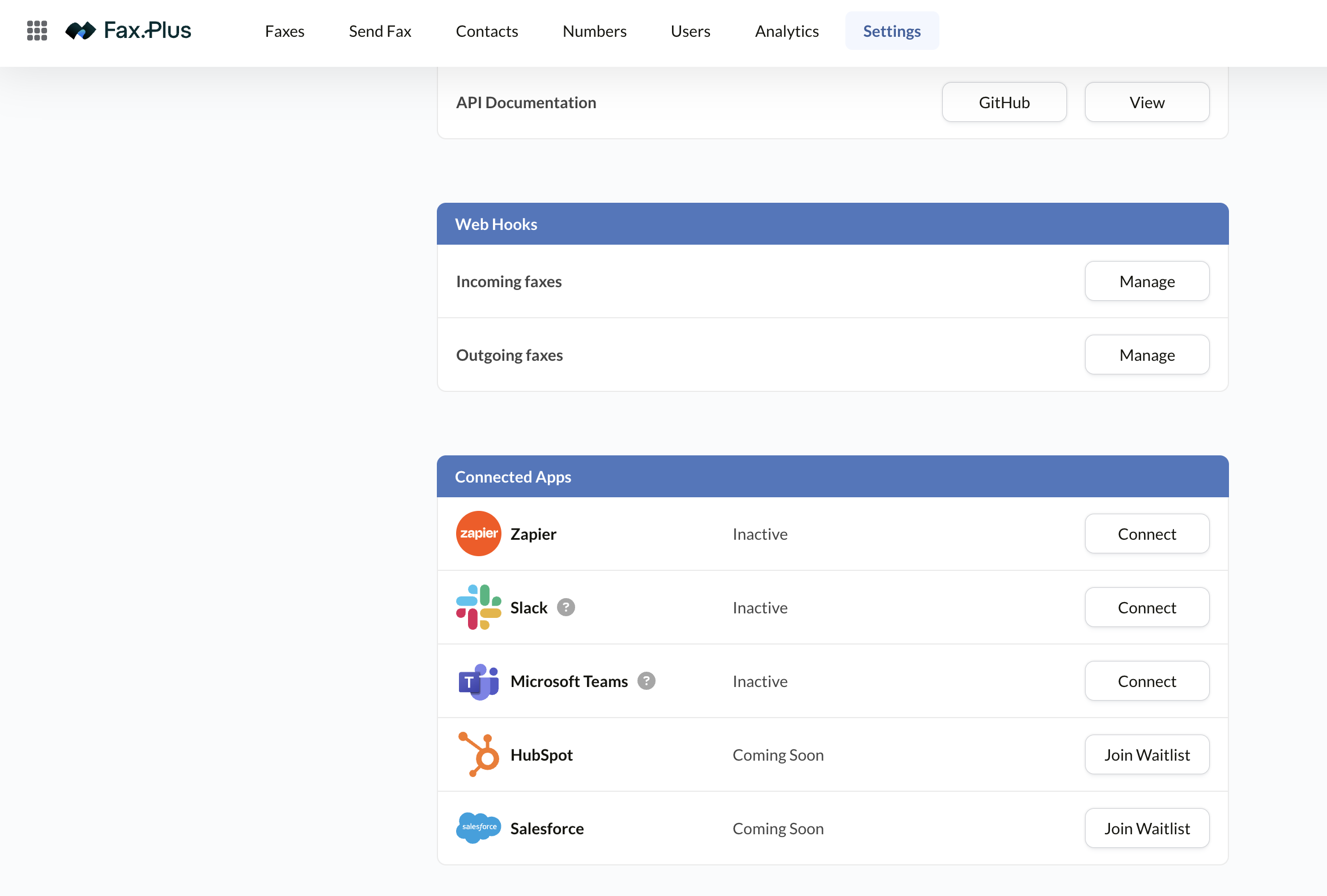
Three integrations are live and connect from the settings panel: Zapier, Slack, and Microsoft Teams. Zapier is the significant one, since it bridges Fax.Plus to several thousand other tools without writing code. HubSpot and Salesforce are listed as coming soon with a waitlist to join. Worth knowing if a CRM link is a purchase condition, because today it isn't there. Slack and Teams also work as notification targets, so fax activity can post into the channel your team already watches rather than another inbox.
API and webhooks
The API is Enterprise-only and authenticates two ways: Personal Access Tokens with scoped permissions, or OAuth 2.0 for applications that support it. Documentation is public and the code samples are published on GitHub. Separately, webhooks can be configured independently for incoming and outgoing faxes, which is what you want for driving a workflow. A received fax can trigger your own system directly instead of being polled for.
Fax.Plus also publishes an MCP server, currently in beta and Enterprise-only, which lets AI assistants such as Claude, ChatGPT, Cursor and Copilot send and receive faxes, manage contacts and configure webhooks through natural language. It's early (Alohi's own documentation warns that tool schemas and authentication may still change), but it makes Fax.Plus one of the first fax providers to expose its platform to AI agents directly, and a bigger release is expected later in 2026.
Email to fax, print to fax, and desktop
Email to Fax is enabled per account and lets you send by emailing a document, with configurable authorized senders. Print to Fax installs a virtual printer, so any application with a print dialog can fax, the closest thing to a real fax machine for staff who don't want to learn a new tool. Both are quietly among the most practical features for a mixed-ability office.
Admin Console and Customization
The admin side is more thorough than the price point implies. Users are managed in a visual hierarchy showing the owner and each member with their assigned numbers, so permissions are legible at a glance rather than buried in a list. Numbers are bought in-app, assigned per user, and shown with acquisition date and status. Contacts support groups, sharing across the team, a recent list, bulk import, and a blacklist for blocking junk fax senders, a small feature that matters if your number attracts spam.
Analytics splits usage into company-wide and per-user consumption, over a cumulative or period view with a custom date range and chart export: enough to see which department is burning the page allowance. On the branding side you can set a company logo and a custom fax header with your own text, date format and international number format, and optionally enforce a cover sheet across the organization. Notifications are configurable per event for sent and received faxes, by email, Slack or Teams, with the confirmation page attached.
Security & Compliance
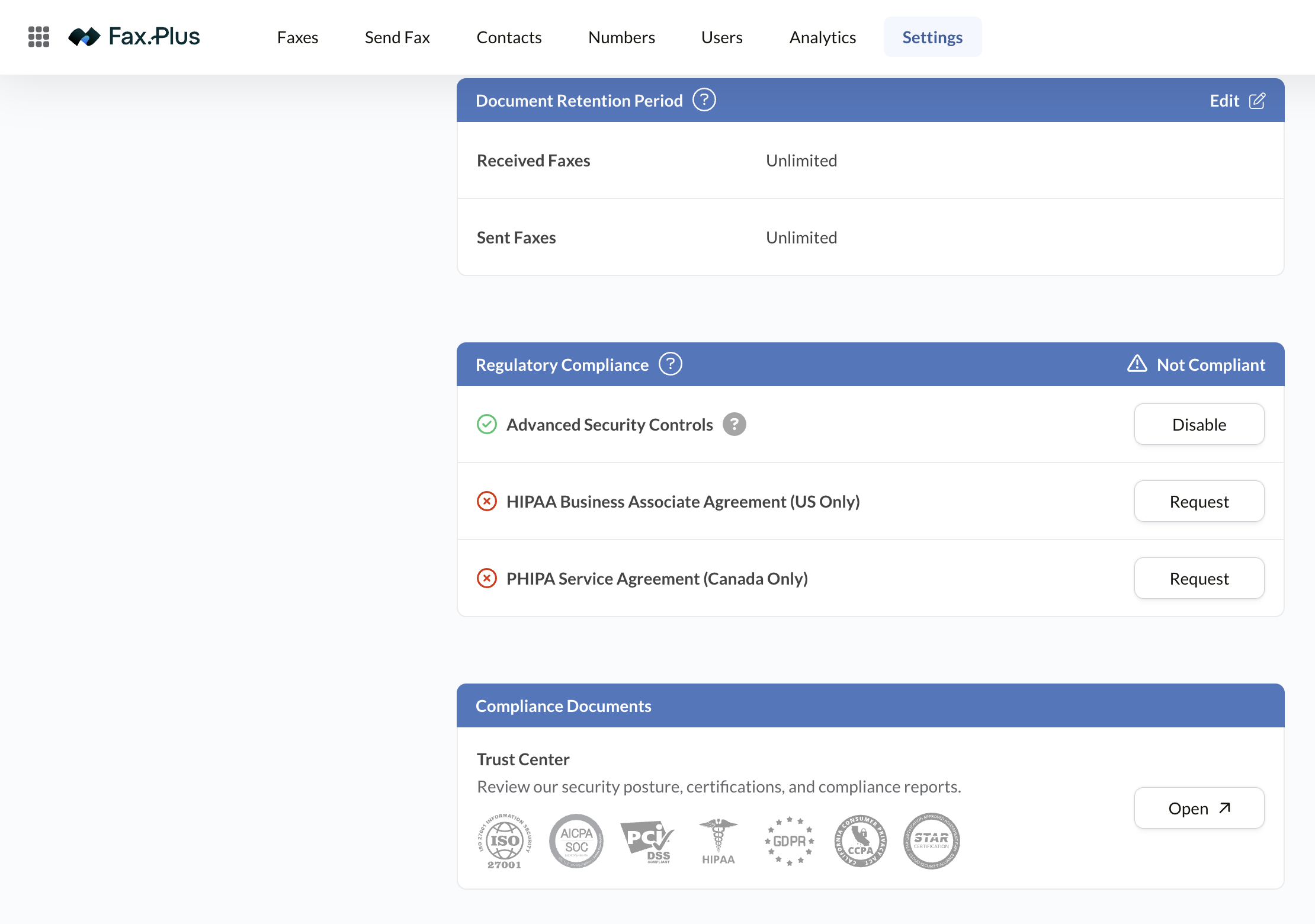
For a service this affordable, the compliance stack is unusually deep. Fax.Plus is ISO 27001 and SOC 2 Type II certified and compliant with GDPR, CCPA, and PCI DSS, acombination that covers most procurement checklists outside US healthcare. Transmissions are encrypted in transit and at rest, and the admin console exposes the controls a security reviewer actually asks about. The compliance certificates themselves are published in Alohi's Trust Center, linked directly from the account's security settings rather than buried on a marketing page.
Data residency: choose your country, but check the default
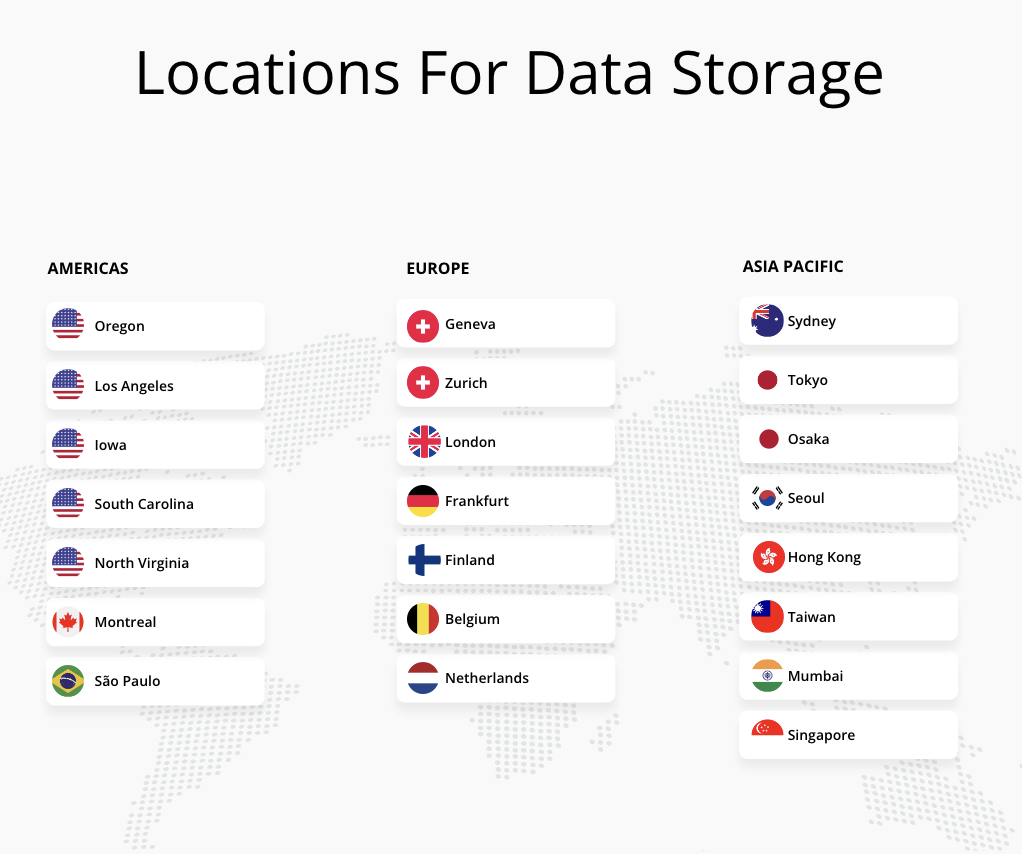
This is the detail most reviews get wrong, and it matters more than the Swiss-company headline. Fax.Plus lets you pin where your fax data is stored, choosing from 22 locations across three regions:
- Europe: Geneva, Zurich, London, Frankfurt, Finland, Belgium, Netherlands
- Americas: Oregon, Los Angeles, Iowa, South Carolina, North Virginia, Montreal, São Paulo
- Asia Pacific: Sydney, Tokyo, Osaka, Seoul, Hong Kong, Taiwan, Mumbai, Singapore
For a European buyer that's a genuine advantage. Swiss (Geneva or Zurich) and EU (Frankfurt, Netherlands, Belgium, Finland) storage are both on the list, which almost no competitor offers at any price, let alone this one. Our Enterprise test account came set to Switzerland out of the box, so the Swiss privacy story holds up in practice rather than just on the About page, and we confirmed the control works by switching it to US storage and back.
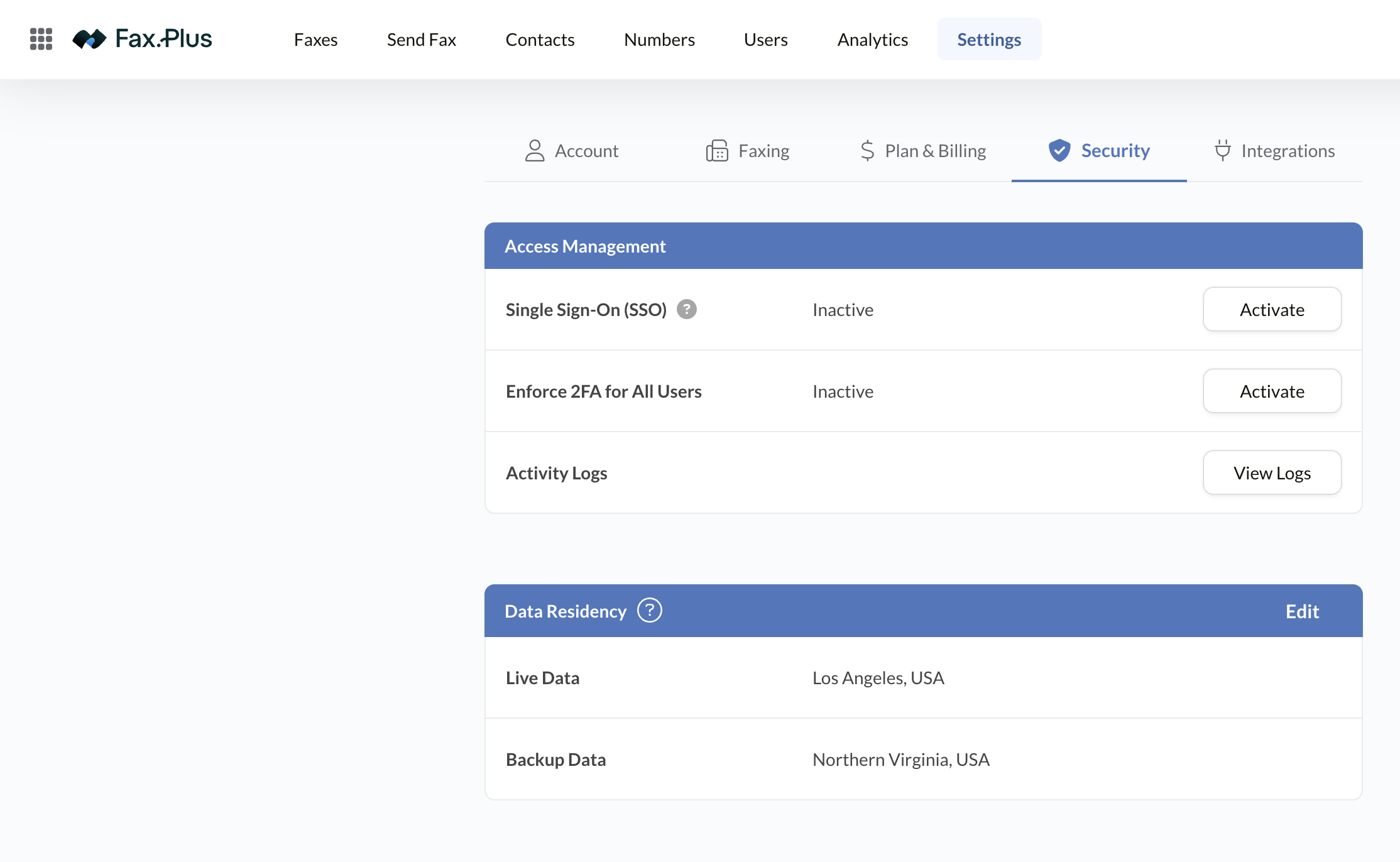
The setting lives in Settings → Security → Data Residency and covers live data and backups separately, so it's worth opening once to confirm both are where you expect, particularly if you're inheriting an account someone else configured, or if a specific country is written into a compliance requirement. Changing it is a two-click job, which is more than most providers give you.
Admin and access controls
The security tab covers Single Sign-On (SSO), enforced two-factor authentication across all users, and activity logs for auditing who did what. Document retention is configurable for sent and received faxes independently. The default is unlimited retention, which is convenient but worth revisiting if your policy requires data minimization, since faxes otherwise stay on the platform indefinitely.
HIPAA and PHIPA are region-specific
The one real limit is healthcare compliance. Both agreements are requested from the compliance panel in your account settings, and both are explicitly regional: the HIPAA Business Associate Agreement is US-only and the PHIPA Service Agreement is Canada-only. Neither is active by default: until you request one, the account reports itself as not compliant. They're also Enterprise-tier, so Basic, Premium, and Business should not be used for protected health information.
That's the single biggest reason a small healthcare practice might look elsewhere. Our best HIPAA-compliant fax guide covers the cheaper-BAA options in detail. European and Asian healthcare buyers should note there is no equivalent regional health-data agreement on offer; outside the US and Canada you're relying on the general GDPR and ISO 27001 posture instead.
Fax.Plus Pricing 2026
Prices verified on the official Fax.Plus website in August 2026. One thing to know before you compare: the prices Fax.Plus advertises are the annual-billing rates. Pay month to month and every plan costs more, so both columns are below.
| Plan | Monthly billing | Annual billing | Pages/month | Highlights |
|---|---|---|---|---|
| Free | $0 | $0 | 10 | Send-only, renews monthly, no card |
| Basic | $8.99 | $6.99 | 200 | 1 member, dedicated number, $0.10/extra page |
| Premium | $17.99 | $13.99 | 500 | Toll-free numbers, free porting, $0.07/extra page |
| Business | $34.99 | $27.99 | 1,000 | 5 members, admin console, Slack, $0.05/extra page |
| Enterprise | $99.99 | $79.99 | 4,000+ | HIPAA + BAA, SSO, 1,000 AI Credits, $0.03/extra page |
Annual billing is where the up to 3 months free (about 22% off) comes from, and it's a permanent discount rather than a seasonal promotion. On Basic that's $6.99 against $8.99, about $24 over a year. Real money, but it means committing for twelve months, so it only pays off if you're sure you'll still be faxing next year.
Add-ons: an additional fax number is $4.99/month, a vanity number is a one-time $19.99, and number porting is free. Maximum pages per single fax run from 30 on the free plan to 250 on Enterprise.
Value-for-Money Analysis
On pure price, nothing in the category beats Fax.Plus at the entry level. $6.99 for 200 pages undercuts the usual $10–13 starting points, though that's the annual rate; at $8.99 month to month the gap narrows, and it's worth checking competitors' monthly prices rather than their headline ones before deciding. The overage rate falls as you climb tiers, so heavy senders aren't punished, and the free plan removes the risk from trying it at all.
Enterprise reads better once you know what's in it. At $79.99 annually it starts at 4,000 pages a month, and the allowance scales on request up to around 500,000 pages a month for high-volume deployments. That reframes the tier: it's not just "Business plus HIPAA," it's a genuine volume plan.
The one that still stings is a small clinic that only needs a signed BAA: it pays Enterprise money for a compliance document. The takeaway holds up: Fax.Plus is the best value for the 90% of users who don't need Enterprise, and now a more defensible option for the 10% who do.
Fax.Plus vs the Competition
Fax.Plus vs Documo
Documo is the healthcare specialist: a BAA on every plan, native US EHR integration, and a deeper AI document-processing engine, all from a $25 floor. Fax.Plus is the generalist: cheaper, broader internationally, with a free tier Documo doesn't offer. Choose Documo when US healthcare automation is the actual job. For everything else, especially international or budget-sensitive faxing, Fax.Plus is the better all-rounder.
Fax.Plus vs eFax
eFax brings 25+ years, 24/7 phone support, and FedRAMP for federal buyers via its separate ECFax product, but it's considerably more expensive for the same core faxing and its interface shows its age. Fax.Plus delivers a cleaner experience at a fraction of the price. eFax earns its place in large or government-adjacent organizations. Fax.Plus wins for individuals, SMBs, and anyone watching the bill.
Fax.Plus vs iFax
iFax is the closest rival on value, and it has one clear edge: a signed BAA from the $24.99 Plus plan, far cheaper than Fax.Plus's Enterprise-only HIPAA. iFax also bundles e-signature and AI OCR at lower tiers. Fax.Plus counters with a true free plan, broader international coverage, and the stronger audited-compliance stack (ISO 27001 + PCI DSS). For affordable HIPAA, iFax. For free/international general faxing, Fax.Plus.
Real-World Use Cases
- The freelancer who faxes occasionally: the free plan covers the odd signed contract or government form at no cost, with a paid upgrade only if volume grows.
- The small firm with international clients: one account sends to 190+ countries with local numbers, replacing a patchwork of regional fax setups.
- The 5-person agency: the Business plan's shared admin console and Slack integration keep fax activity visible without buying enterprise software.
- The enterprise back office: AI Data Extraction turns inbound faxed forms into structured fields for the CRM or billing system, cutting manual re-entry.
- The privacy-first European org: Swiss residency plus ISO 27001 and SOC 2 Type II satisfies a security review without a US-data-transfer debate.
Recommended Alternatives
- iFax: signed BAA from $24.99, the cheapest credible HIPAA, plus e-signature and AI OCR
- Documo: healthcare specialist with native EHR integration and document automation
- eFax: the enterprise incumbent, with HITRUST and 24/7 phone support
- Dropbox Fax: best fit if you live inside Dropbox or Google Workspace
→ Full comparison: 8 best Fax.Plus alternatives
💡 Watching every dollar? See where Fax.Plus lands among the best cheap fax services.
Fax.Plus Frequently Asked Questions
Is Fax.Plus really free?
Yes, within limits. The free plan gives you 10 pages per month that renew every month, not a one-time credit. It's send-only, though: receiving faxes needs a dedicated number, which starts on the paid plans from $6.99/month. No credit card is required to use the free tier.
Is Fax.Plus HIPAA compliant?
Only on the Enterprise plan, which includes a signed BAA (from $79.99/month, billed annually). The Basic, Premium, and Business tiers are not HIPAA-compliant. If you need a signed BAA without Enterprise pricing, iFax Plus ($24.99/month, 500 pages) is usually the cheapest credible option, and Documo includes a BAA on every plan for healthcare-specific workflows.
What are Fax.Plus's AI features, and which plan includes them?
Fax.Plus offers AI Data Extraction (pulls user-defined fields like name, date, or order number into structured key-value data) and AI Text Transcript (a searchable text version of a fax). They run on a credit system, and the Enterprise plan includes 1,000 AI Credits per month. The AI tools are Enterprise-only, so they don't reach the Basic, Premium, or Business tiers.
How much does Fax.Plus cost?
The advertised prices are annual-billing rates; monthly billing costs more. Basic is $6.99/month annually or $8.99 monthly (200 pages), Premium $13.99 or $17.99 (500 pages), Business $27.99 or $34.99 (1,000 pages, 5 members), and Enterprise $79.99 or $99.99, starting at 4,000 pages with HIPAA, SSO, and AI. Paying annually gets you up to 3 months free (around 22% off), and the per-page overage rate drops from $0.10 on Basic to $0.03 on Enterprise.
Which countries does Fax.Plus support?
Fax.Plus sends to more than 190 countries and offers local or toll-free fax numbers in many major markets, including the US, UK, Canada, Australia, and much of Europe. That international reach is one of its strongest selling points against US-only services.
Can I port my existing fax number to Fax.Plus?
Yes. Number porting is free and available from the Premium plan upward. You keep your existing fax number when you switch. The transfer is handled through the Fax.Plus dashboard.
Does Fax.Plus have a mobile app?
Yes: well-built iOS and Android apps with a built-in document scanner, so you can photograph a paper page and send it as a fax. The apps keep feature parity with the web app, and there are desktop apps for Mac and Windows too.
Does Fax.Plus include electronic signatures?
Not directly. E-signatures come from Sign.Plus, a separate product in the same Alohi family. It integrates cleanly, but it's a distinct subscription rather than a built-in Fax.Plus feature.
Is Fax.Plus good for small businesses and teams?
Yes. The Business plan adds five members, an admin console, and a Slack integration for $27.99/month, which fits most small teams comfortably. Larger or regulated organizations move to Enterprise for unlimited members, SSO, HIPAA, and the AI tools.
FaxRadar Editorial Review
Fax.Plus keeps earning its #1 spot the same way it always has: by being the service that does the boring stuff well and charges the least for it. A free plan that actually renews, a $6.99 entry point, clean apps on every platform, and a Swiss compliance story that punches above the price. There's very little to dislike for the typical user.
The 2026 AI additions are a smart move, and Data Extraction is genuinely useful for high-volume inbound teams. The honest footnote is that the AI, like HIPAA, sits behind the Enterprise plan, so the people who love Fax.Plus for its value can't actually use it. That doesn't dent the recommendation. It just defines the edges.
Our take: the best default online fax service for freelancers, small businesses, and international senders. Small healthcare teams that need a cheaper BAA should look at iFax, and document-automation-first buyers should compare Documo.
Evaluation Methodology
The FaxRadar editorial team evaluates each service according to a rigorous protocol:
- Real account creation: we subscribe with our own budget, without partnerships or press accounts.
- Real-world testing: sending and receiving faxes to multiple countries and daily use of the mobile and desktop apps.
- Price verification: prices verified directly on official websites and updated regularly.
- Support contact: evaluating responsiveness and the quality of the answers.
- Security analysis: verifying certifications (ISO 27001, SOC 2, HIPAA) against official documentation.
Our final rating is a weighted average of six criteria: Interface (25%), Features (20%), Value for Money (20%), Support (15%), Security (10%), Coverage (10%).
Final Verdict
Fax.Plus is the best all-round online fax service for 2026. The renewing free plan, the lowest entry price, 190+ country coverage, and a compliance stack that includes ISO 27001 and SOC 2 Type II make it the easy recommendation for freelancers, small businesses, and international senders alike.
Its limits are specific rather than general, and they are set out above: small healthcare teams should compare iFax and Documo. For straightforward, affordable, global faxing, nothing beats it, and that's why it stays at the top of our ranking.