
Dropbox Fax Review 2026 (Formerly HelloFax)
Wirecutter's pick for occasionally sending a free or inexpensive fax. Five free pages on signup (no card), native Dropbox and Google Drive integration, and HIPAA coverage through the Dropbox Sign Services Trust Center. Read on for where it shines, and where it doesn't.
Pros
- Backed by Dropbox: 700M+ users, won't disappear overnight
- 5 free pages on signup, no credit card required
- Earn up to 20 more free pages via referrals and onboarding tasks
- Send straight from Google Drive, Dropbox, Microsoft Word
- Dropbox Sign e-signature ties into the same workflow
- HIPAA-eligible under Dropbox Sign Services (BAA on paid plans)
- Wirecutter's pick for occasional, low-cost faxing
Cons
- No native iOS or Android app: web and email only
- Free 5 pages are one-time, not monthly
- Fax number porting limited to US and Canada
- Support is help-center first; no 24/7 phone line like eFax
- International coverage exists but not advertised in detail
What is Dropbox Fax?
Dropbox Fax is the online fax service formerly known as HelloFax. Dropbox bought HelloFax in 2019 and folded it into the Dropbox Sign Services family, which now sits alongside Dropbox Sign (formerly HelloSign) and Dropbox Forms. The product itself didn't change: same fax numbers, same web app, same cloud integrations. What changed is the branding and the compliance posture, which is now backed by Dropbox's Trust Center.
In practice, it's a no-machine online fax service aimed at people who already live inside Dropbox or Google Workspace. You upload a PDF (or pick one from your cloud), type a destination fax number, and send. Incoming faxes land back in your Dropbox folder or your inbox. There's no app to install. Wirecutter recommends it for occasionally sending a free or inexpensive fax.
Who Dropbox Fax Is For
- Dropbox and Google Workspace users: the cloud integration is the strongest argument. Sending a fax from a Google Doc takes about two clicks.
- Light fax users who can use email: the email-to-fax flow is solid and works from any client.
- Small teams that need shared fax numbers and audit trails: the Professional and Small Business plans support multiple senders and fax number porting (US/Canada).
- Regulated workflows that need HIPAA: coverage exists via the Dropbox Sign Services Trust Center, but you must request and sign a BAA before sending PHI. Not automatic, and the free tier is excluded.
Who it's not for: mobile-first users (no app), high-volume senders who'd save money on MetroFax (550 pages for $9.96), or anyone who needs a dedicated 24/7 phone support line (eFax territory).
Key Features
Cloud integrations
Native integrations with Dropbox, Google Drive, Microsoft Word, and OneDrive. You can fax a file directly from cloud storage without downloading it locally, useful when you're already working in a doc and just need to send it out.
Email-to-fax
Available on all paid plans. Address an email to a fax number (specific format from the dashboard), attach your document, send. Confirmation comes back in your inbox. This is how most regular Dropbox Fax users actually send. The web app is the fallback for first-timers.
Dropbox Sign e-signature
Because Dropbox Fax sits under the same Dropbox Sign Services umbrella as Dropbox Sign (the e-signature product previously called HelloSign), you can edit and sign faxes inside the same interface: no separate signing tool, no printing, no scanning back in.
Fax number porting
Move your existing fax number to Dropbox Fax without losing it. Currently US and Canada only, not available in other markets. Available on Professional and Small Business plans.
Free pages on signup
Five pages free with no credit card. Dropbox adds up to 20 more free pages if you share the service or complete onboarding actions. Useful for actually testing: many competitors give you 1–2 pages or a 7-day trial.
How to Send a Fax with Dropbox Fax (Step by Step)
We pushed a set of multi-page test documents through a live account. The whole thing is a two-step wizard — Select documents, then Review and send — and it's about as stripped-back as fax software gets.
Step 1: Add your document
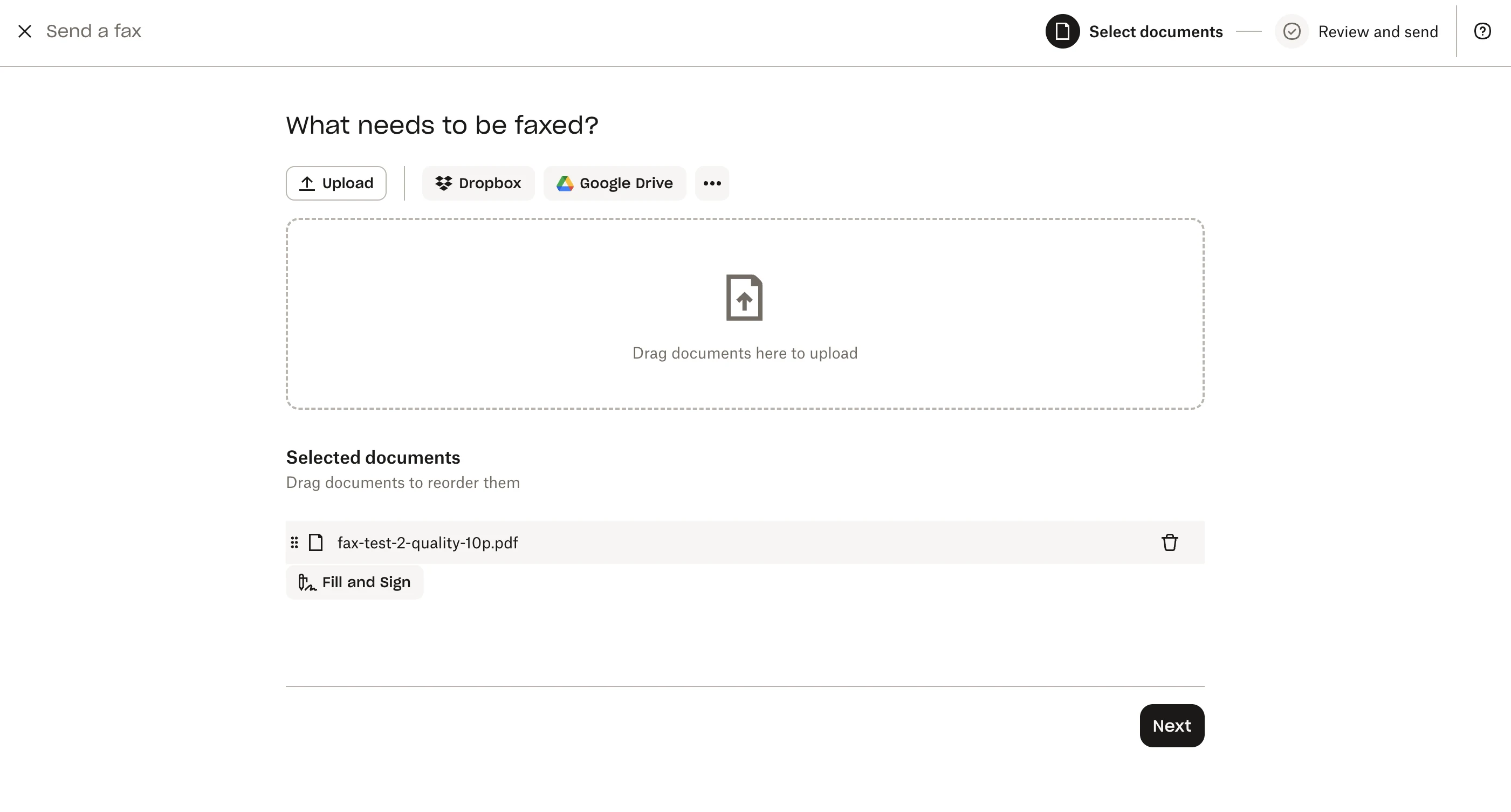
The opening question is just "What needs to be faxed?" You can upload from your machine or pull straight from Dropbox, Google Drive, Box or OneDrive. The cloud pickers are built in rather than bolted on, which is the clearest sign of who owns this product. Add several files and you can drag them into the order you want them sent. There's also a Fill and Sign button here if the document needs a signature before it goes.
Step 2: Recipient, cover page, colour copy
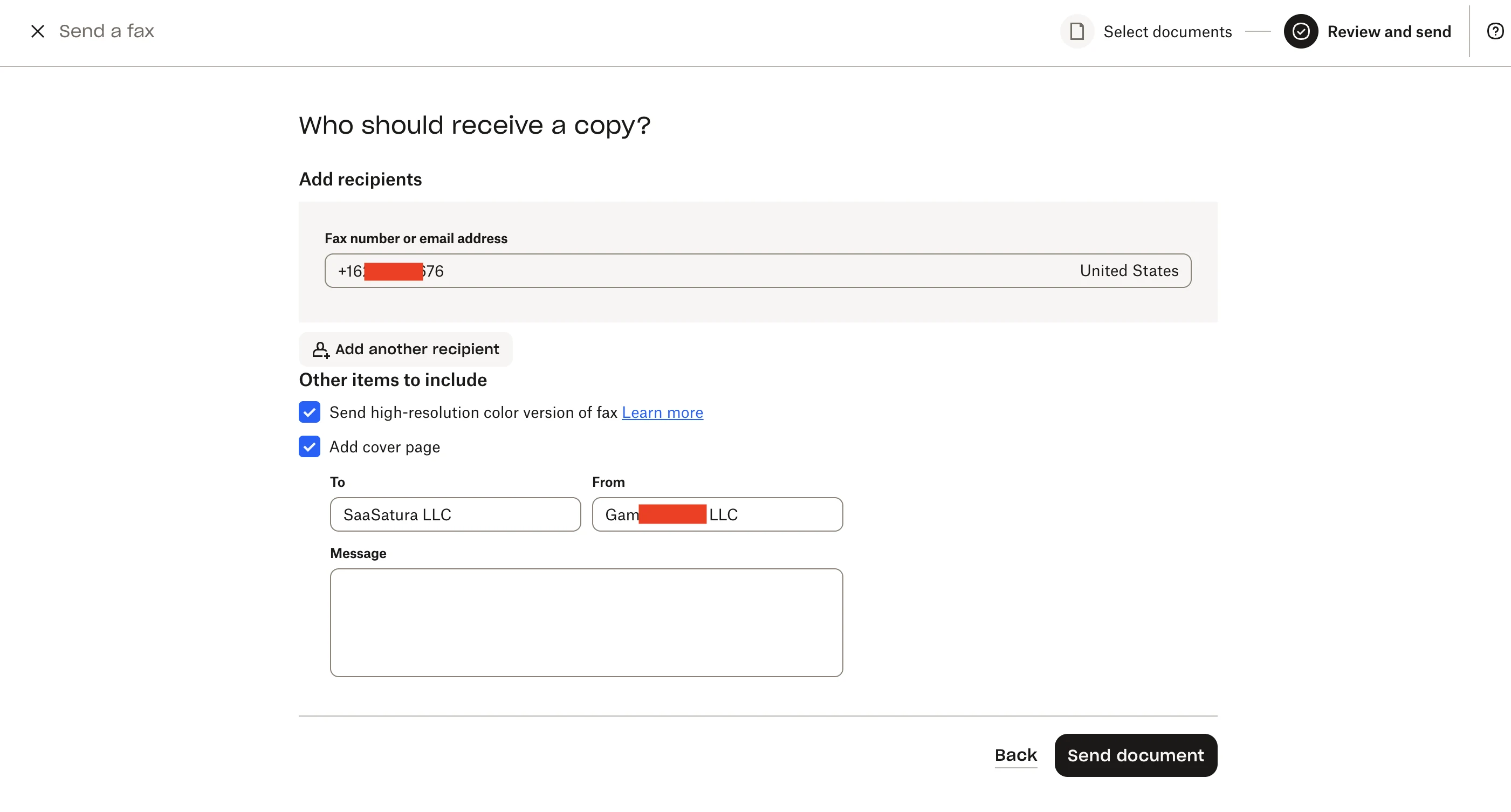
The recipient field takes a fax number or an email address, with a country selector beside it, so you can fax someone who doesn't own a fax machine and they'll simply get it by email. Two options sit underneath, both on by default: send a high-resolution colour version alongside the fax, and add a cover page with To, From and a message. The cover page is generated for you. No template hunting.
Step 3: Name yourself (first send only)
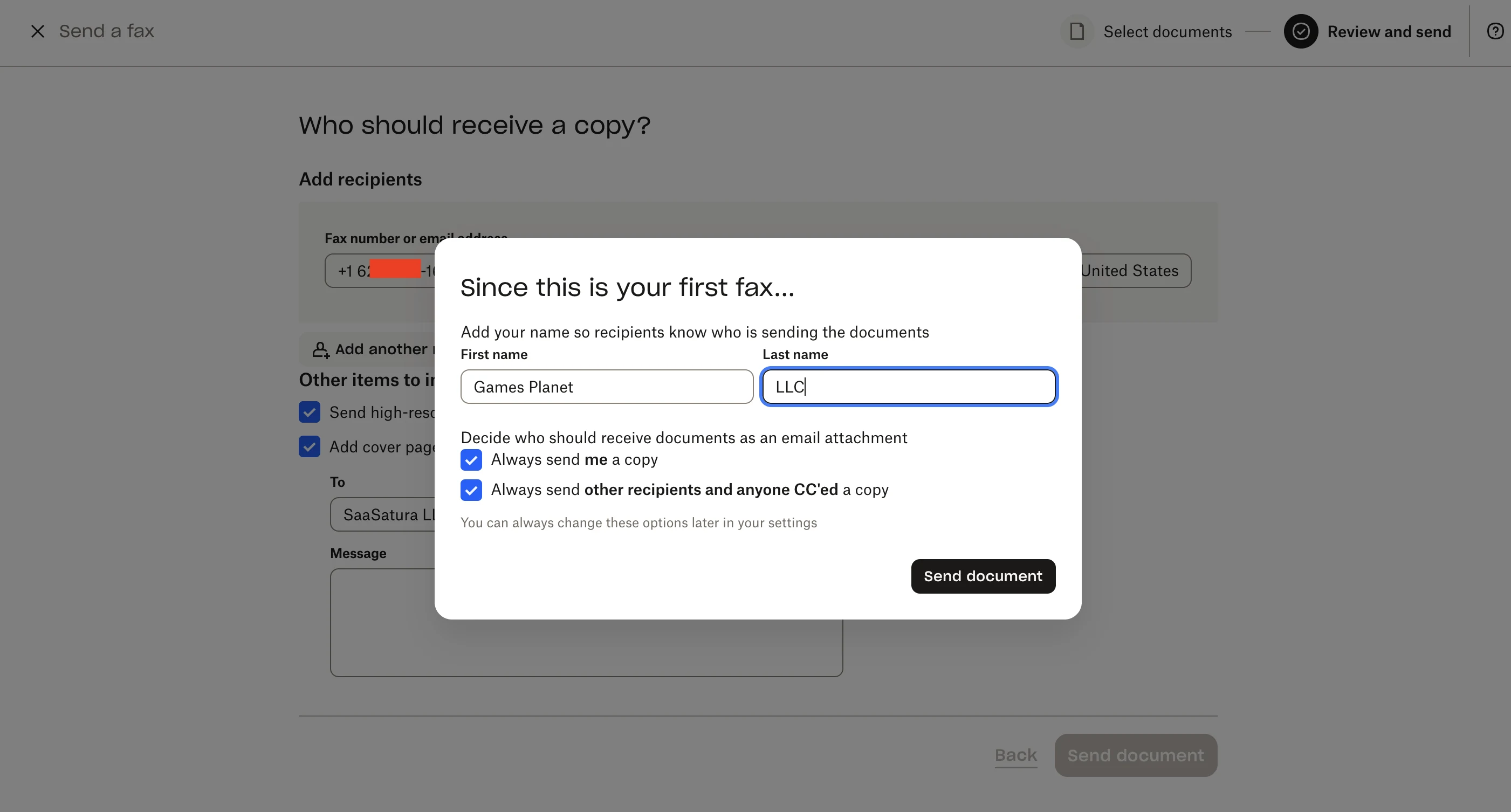
On the very first send you're asked for a name so recipients know who the document came from, plus who should get an email copy: yourself, and optionally every recipient and anyone CC'd. Both are on by default and changeable later in settings. It only appears once.
Step 4: Confirmation
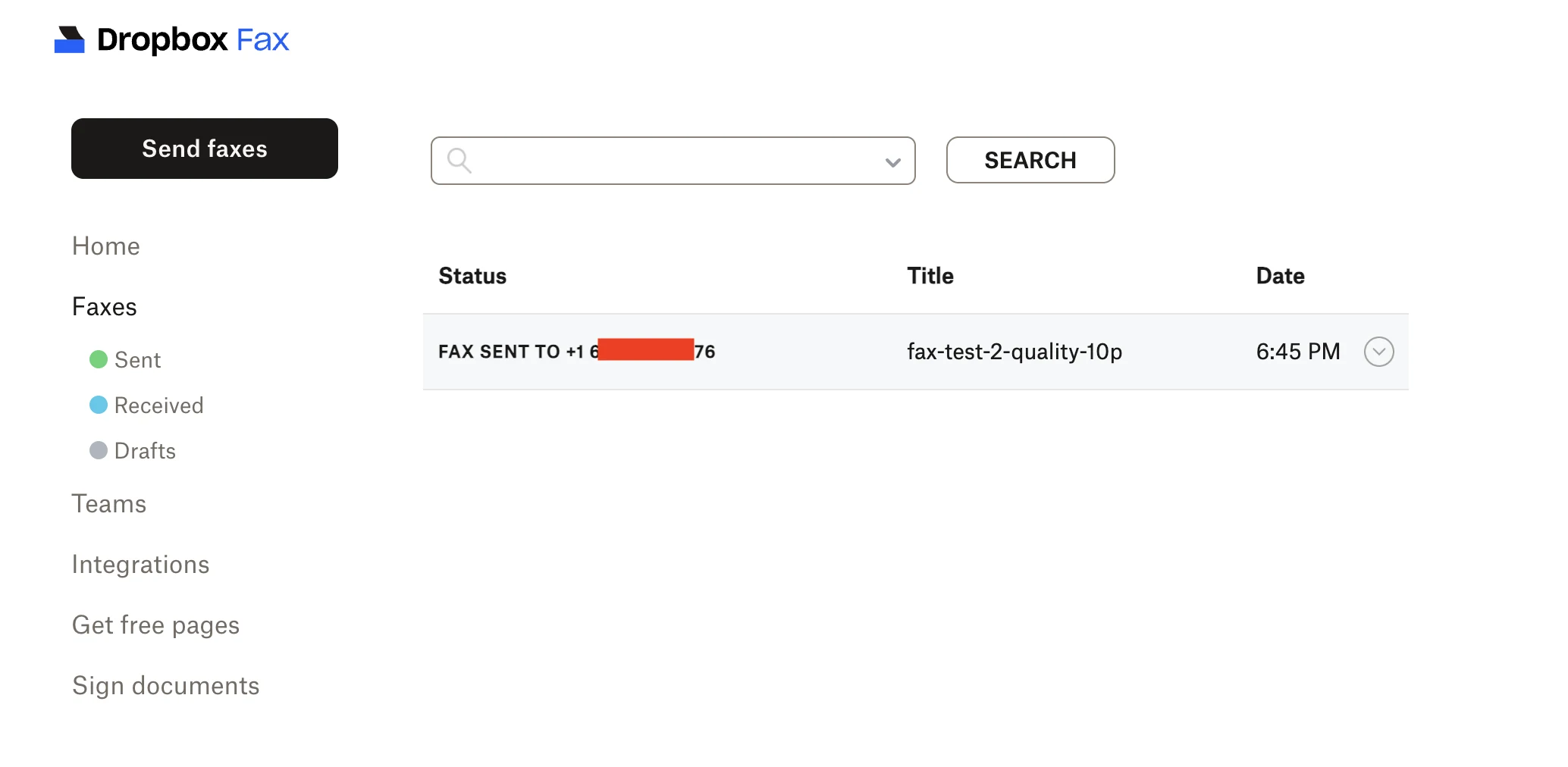
The fax drops into the list as FAX SENT TO with the document title and time. Unlike most competitors there's no per-page time estimate and no live progress bar. You get the entry and a status, and that's it. Sent, Received and Drafts are separated in the sidebar, with search across them.
What's missing next to the others is worth naming: no scheduled send, no automatic retry, no resume on a partial transmission. For a few pages that hardly matters. For a 40-page contract on a flaky line, it does.
Inside the Dropbox Fax Interface
Screenshots from the account we tested. It's a deliberately small product: six screens cover essentially all of it, which is either the appeal or the limitation depending on what you need.
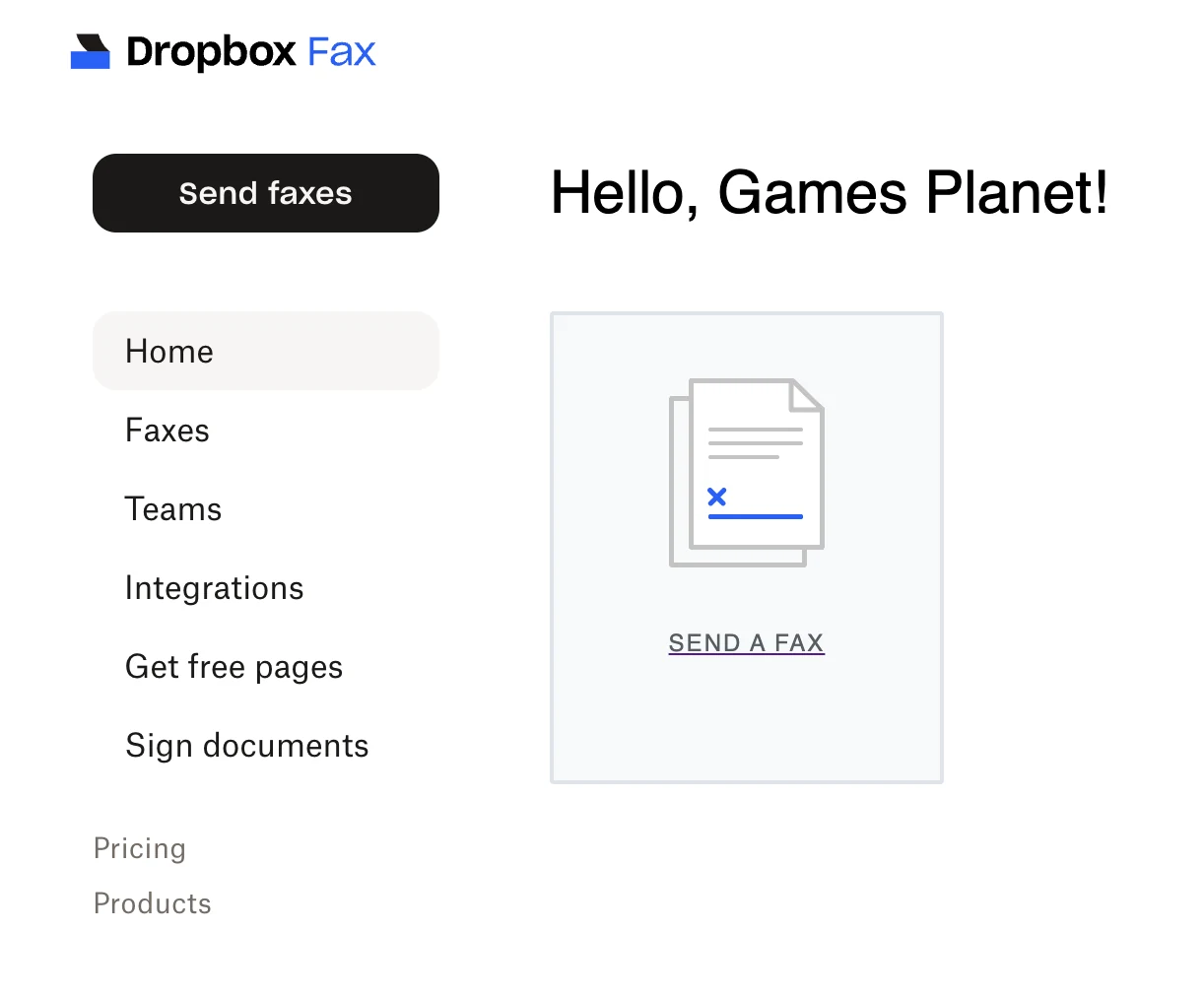
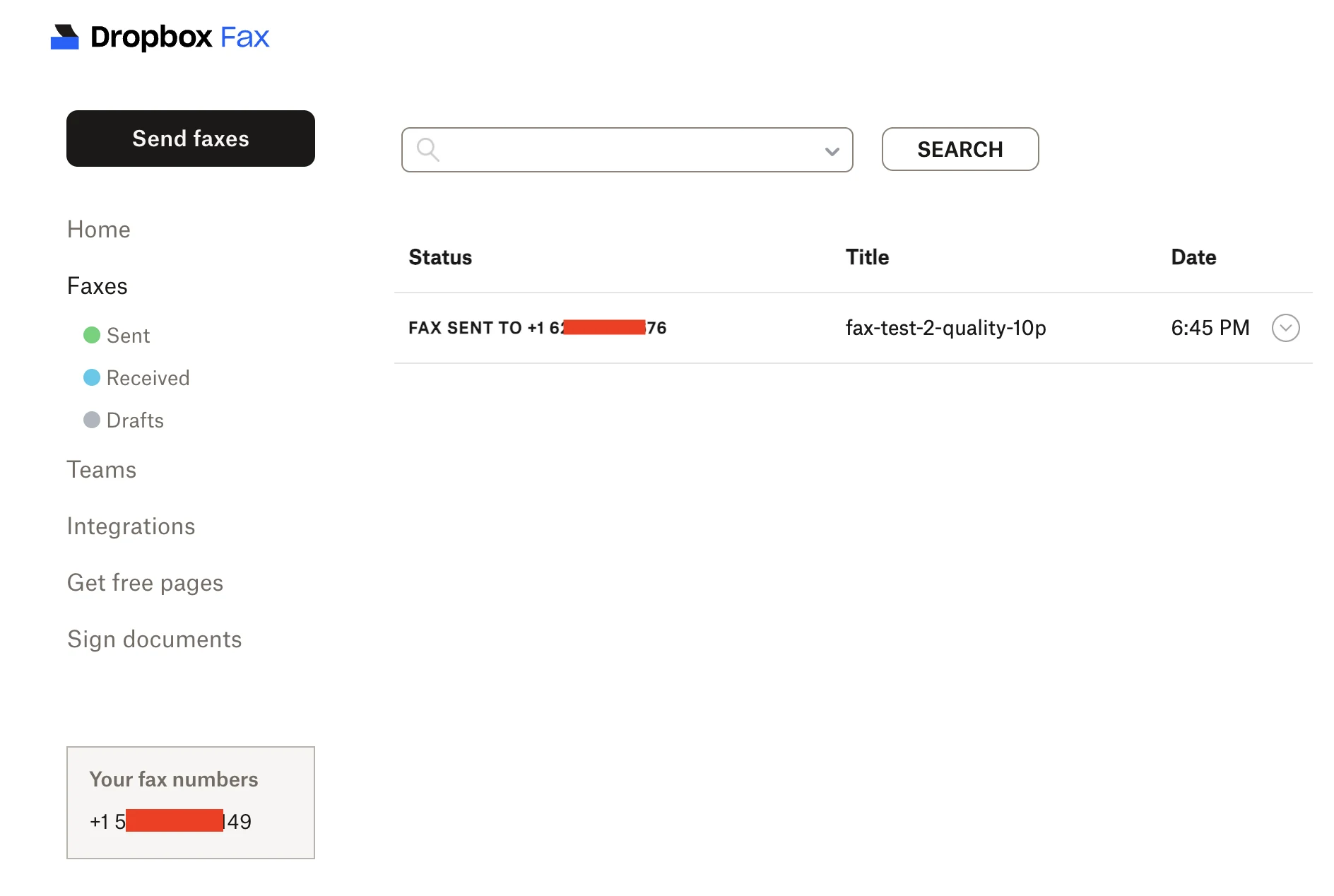
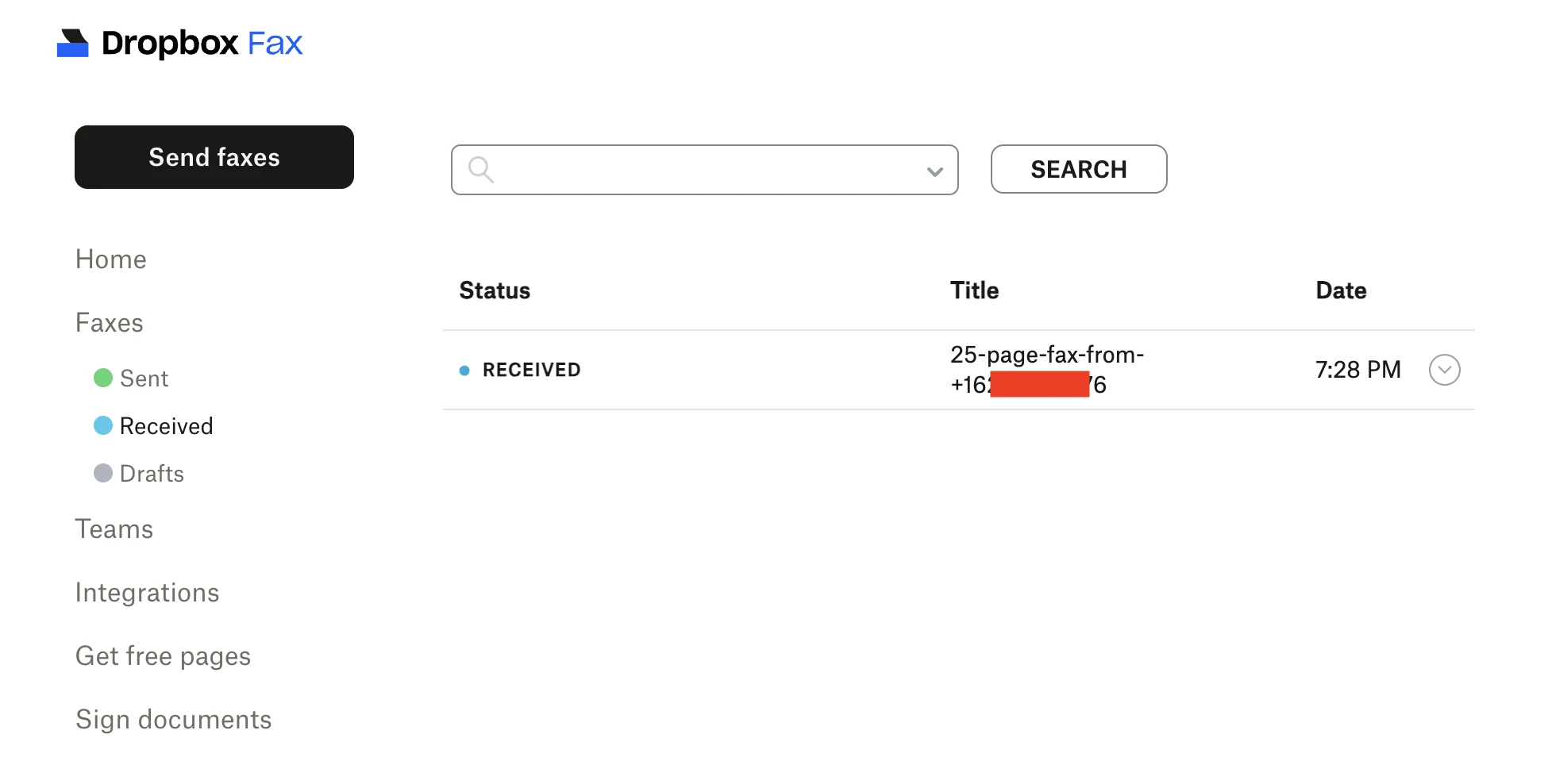
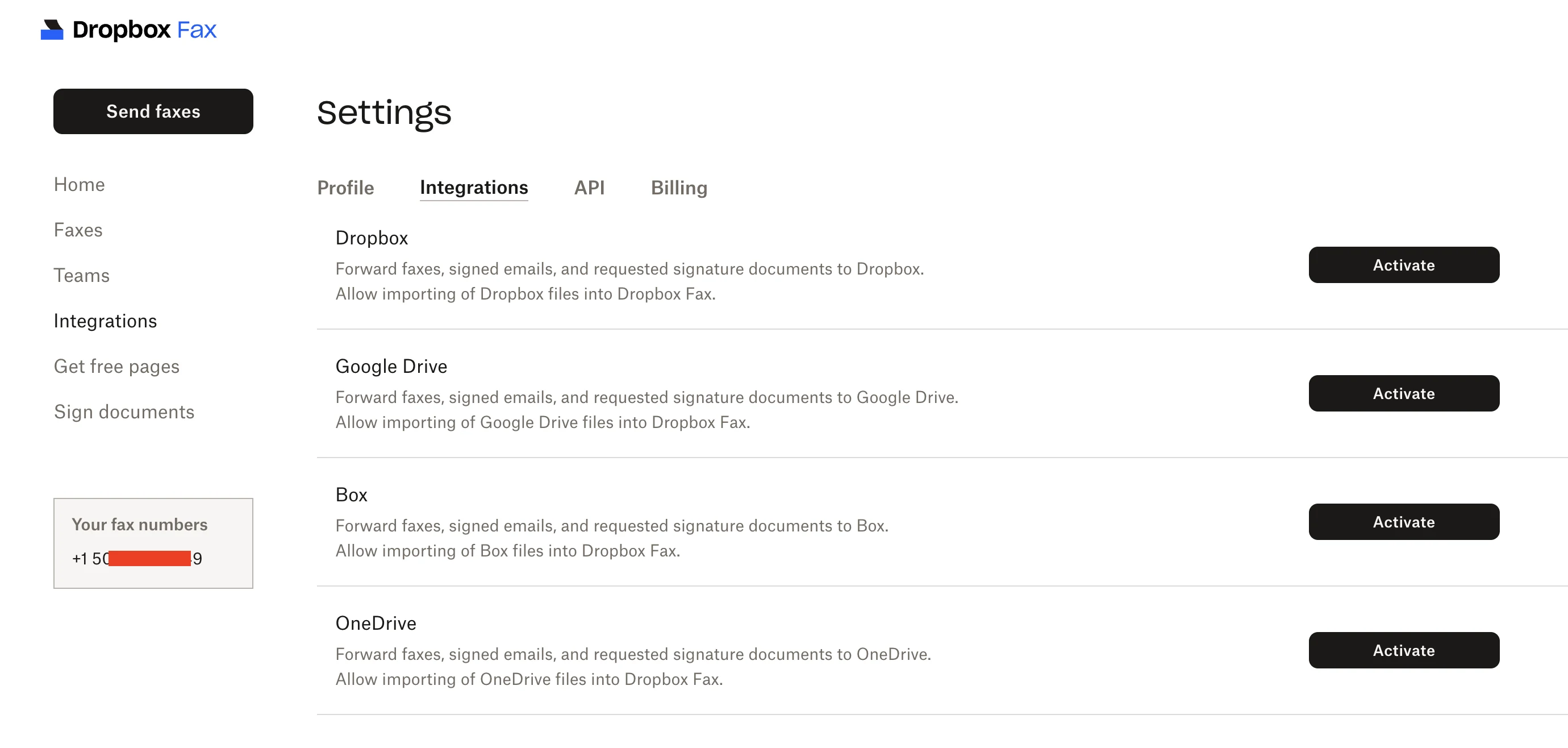
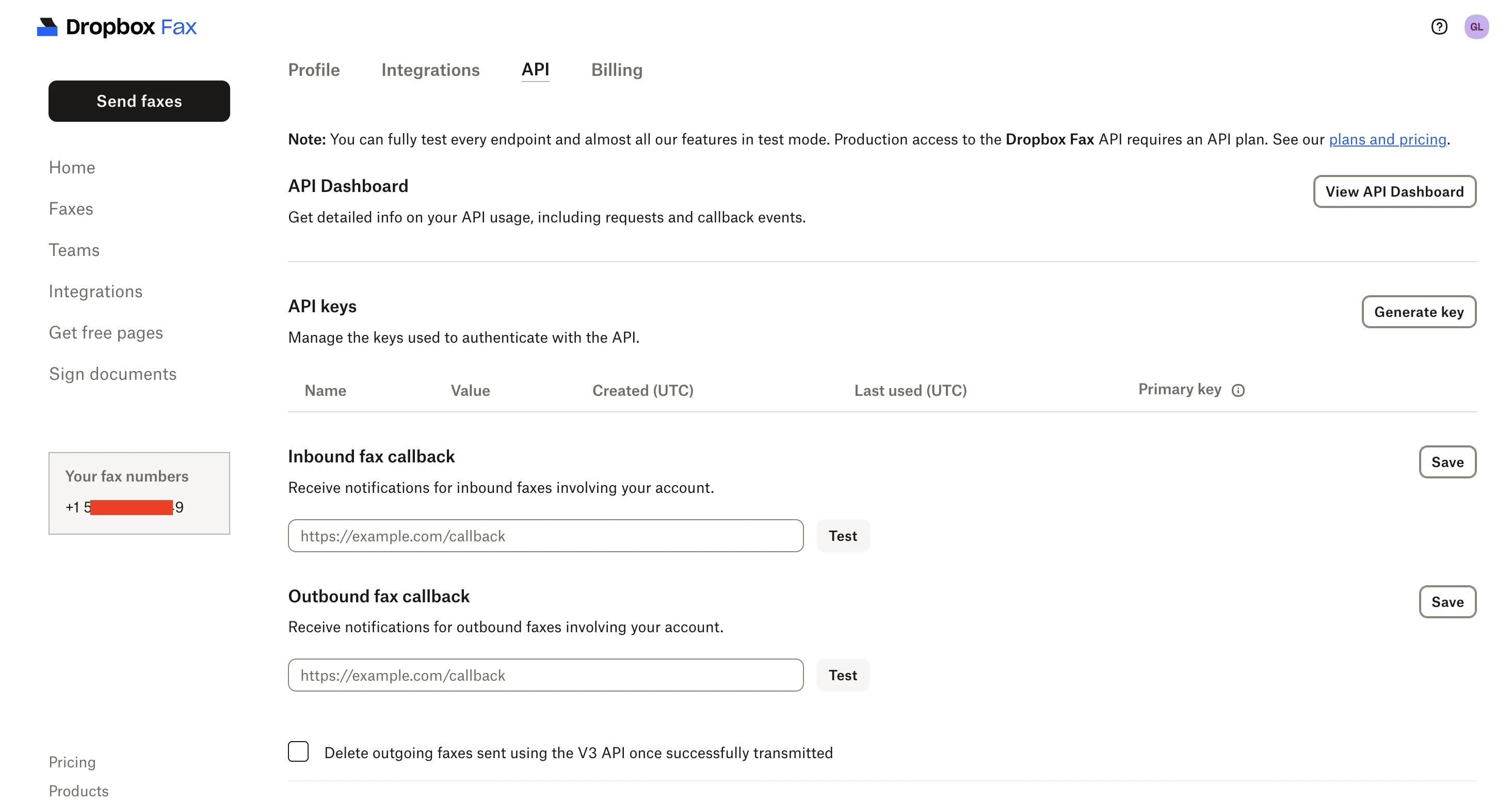
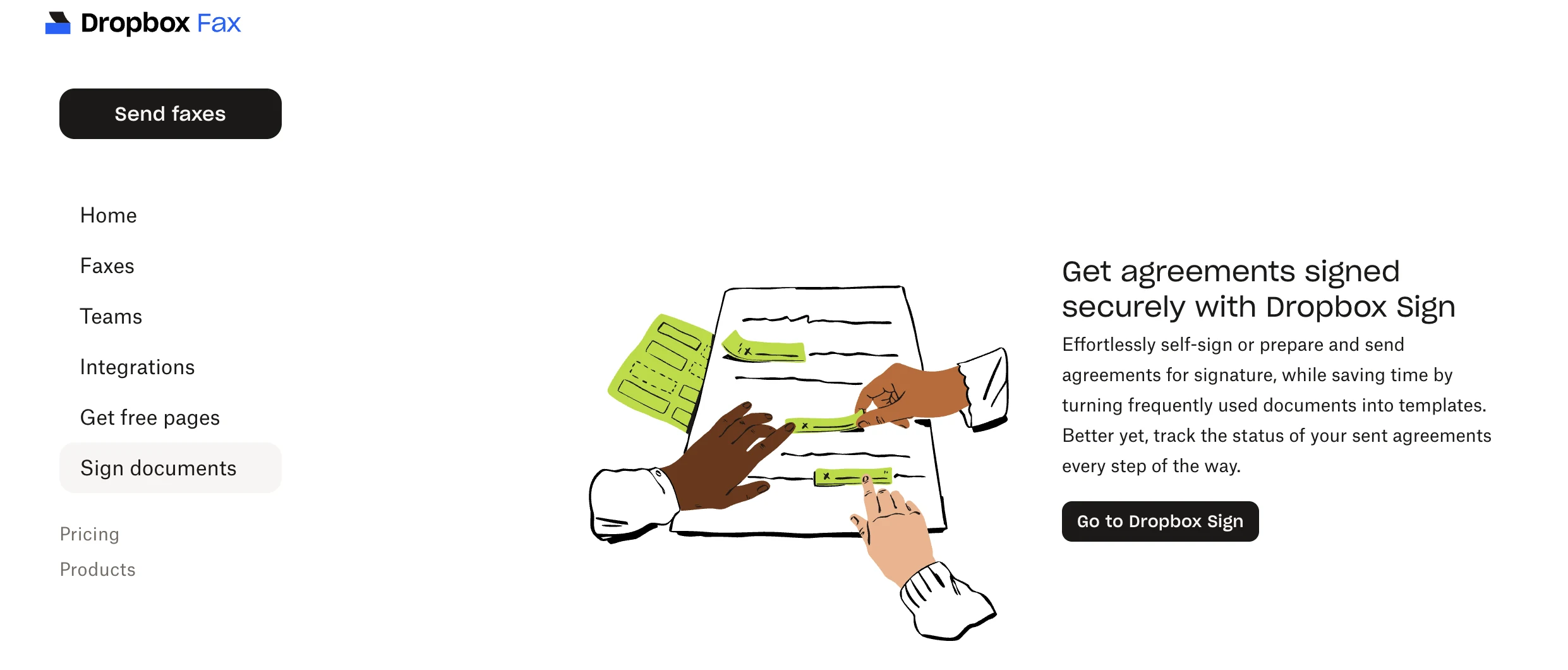
Two things stand out. The integrations panel wires Dropbox, Google Drive, Box and OneDrive in both directions (import a file to fax, and push received faxes back to storage), which no rival matches for breadth. And the API is more serious than the consumer packaging suggests: API keys, a full test mode, and inbound and outbound webhooks, though production access needs a paid API plan. "Sign documents" is simply a link across to Dropbox Sign, a separate subscription.
Dropbox Fax Pricing 2026
Four tiers, billed monthly. Prices below match Dropbox Fax's official pricing page; first-month promotional pricing applies on paid plans.
| Plan | Price (after promo) | Pages | Senders | Notable |
|---|---|---|---|---|
| Free | $0 | 5+ (one-time, earn up to 20 more) | 1 | Send only; no porting, no email-to-fax, no receive |
| Home Office | $9.99/mo | 300+ | 5 | Email-to-fax, receive faxes, multiple recipients |
| Professional | $19.99/mo (first month $5) | 500+ | 10 | Adds fax number porting (US/CA) |
| Small Business | $39.99/mo (first month $10) | 1,000+ | 20 | Full feature set; team workflows |
What to know: the free 5-page quota is one-time on signup, not monthly. Earn up to 20 more via referrals and quick onboarding actions. Annual billing isn't prominently offered on the public pricing page; monthly is the default.
Security and Compliance
Dropbox Fax is part of Dropbox Sign Services. The Dropbox Trust Center (trust.dropbox.com) lists the following audits and certifications covering Dropbox Sign Services as a whole, which includes Dropbox Fax:
- SOC 2 Type 2 and SOC 3
- ISO/IEC 27001, ISO/IEC 27001 SoA, ISO/IEC 27018:2019
- HIPAA and HITECH (BAA required for PHI workflows; not included on Free)
- GDPR, CCPA, EU-US DPF
- eIDAS, ESIGN Act, UETA, PCI DSS
Practical implication: if you're moving Protected Health Information by fax, request the BAA before your first send and confirm in writing that it covers Dropbox Fax specifically, not just Dropbox Sign. This is the cleanest HIPAA story among consumer-friendly fax services, but it's still your responsibility to formalize it.
Dropbox Fax vs the Competition
vs Fax.Plus
Fax.Plus gives you 10 free pages every month on its permanent free tier, while Dropbox Fax gives 5 one-time. Fax.Plus also has mobile apps and runs from Switzerland under ISO 27001. Pick Dropbox Fax if Dropbox/Google integration matters more than free volume; pick Fax.Plus if you want a recurring free quota and a polished mobile experience.
vs eFax
eFax is 25+ years old, HITRUST certified, with 24/7 human phone support. It's also $18.99/month for 200 pages, more expensive per page than Dropbox Fax. Pick eFax if your industry demands HITRUST or you want a phone line you can call at 2am.
vs CocoFax
CocoFax starts at $4.99/month with self-declared HIPAA/GDPR/PHIPA. Dropbox Fax has a public, audited Trust Center backing its compliance posture. Pick Dropbox Fax for documented audits; pick CocoFax purely on price (with the BAA caveat that needs to be requested separately).
Recommended Alternatives
- Fax.Plus: our #1 overall, with recurring free pages, 190+ countries and Swiss data protection
- eFax: the enterprise standard, with HITRUST and 24/7 phone support
- Documo: healthcare specialist with native EHR integrations and SOC 2 Type II
- CocoFax: cheapest paid tier on the market, but request the BAA before any PHI use
Frequently Asked Questions
Are the 5 free pages monthly?
No. They're a one-time signup quota. You can earn up to 20 additional free pages by referring colleagues and completing onboarding tasks, but once you've used them, you'll need a paid plan.
What happened to HelloFax?
HelloFax was acquired by Dropbox in 2019 and rebranded as Dropbox Fax. Your existing HelloFax account, fax number and history all carry over. The hellofax.com domain still works and redirects to fax.dropbox.com.
Is Dropbox Fax HIPAA compliant?
Dropbox Fax falls under Dropbox Sign Services, which is HIPAA and HITECH audited per the Dropbox Trust Center. A signed BAA is required before transmitting PHI. Request it from Dropbox sales/support. The free tier doesn't include BAA coverage.
Does Dropbox Fax have a mobile app?
No dedicated iOS or Android fax app. You send and receive faxes through the web app or via email-to-fax. If a polished mobile workflow matters, look at iFax or Fax.Plus.
Can I port my existing fax number?
Yes, on Professional and Small Business plans, and currently only for US and Canadian numbers. International porting isn't supported.
FaxRadar Editorial Review
Dropbox Fax is the most "modern" feeling fax service we test, and it's the one we recommend by default to anyone whose workday already runs through Dropbox or Google Drive. You can send a fax from a Google Doc faster than you can find a printer.
The compliance story is also the cleanest of the consumer-friendly fax services. The Dropbox Trust Center actually publishes the audit reports (SOC 2 Type 2, ISO 27001, HIPAA, HITECH), and they explicitly cover Dropbox Sign Services, which includes Dropbox Fax. That's a sharp contrast to budget services that self-declare compliance without third-party audits.
Where it falls short: no mobile app (web and email only), no recurring free pages (5 one-time on signup + up to 20 earned), and porting is locked to US and Canada. For mobile-heavy users, iFax is the obvious upgrade. For more international coverage and a permanent free tier, Fax.Plus wins.
The honest bottom line: if you live in Dropbox, this is a strong default. If you don't, the integration value disappears and you're better off picking on price (CocoFax), volume (MetroFax), or compliance depth (eFax, Documo).
Evaluation Methodology
The FaxRadar editorial team evaluates each service according to a rigorous protocol:
- Real account creation: We subscribe with our own budget, without partnerships or press accounts.
- Real-world testing: Sending and receiving faxes to multiple countries, daily use of mobile apps.
- Price verification: Prices verified directly on official websites, updated monthly.
- Support contact: Evaluation of responsiveness and quality of responses.
- Security analysis: Verification of certifications (HIPAA, SOC 2, HITRUST).
Our final rating is a weighted average of six criteria: Interface (25%), Features (20%), Value for Money (20%), Support (15%), Security (10%), Coverage (10%).
Final Verdict
Dropbox Fax (formerly HelloFax) is the strongest pick for anyone already inside Dropbox or Google Workspace: the cloud integrations save real time, and the compliance posture is well-documented through the Dropbox Sign Services Trust Center.
It loses points on the mobile experience (no dedicated app), the one-time-only free quota, and porting that's locked to US and Canada. For HIPAA work, request the BAA before sending PHI.