
Practical GuideApril 2026
How to Fax Without a Fax Machine
You don't need a bulky machine, a phone line, or even paper. In 2026, sending a fax takes less than five minutes: from your computer, phone, or email. Here are all the ways to do it.
Why Would You Need to Fax in 2026?
It might feel like a relic from the 1990s, but fax isn't going anywhere. Healthcare providers require it for HIPAA compliance. Banks demand it for loan applications. Government agencies still insist on fax for official filings. And if you've ever dealt with international contracts, you know the drill.
The good news? You absolutely do not need a fax machine. Modern online tools let you send and receive faxes from any device with an internet connection, often for free. No hardware, no ink, no phone line.
Bottom Line
The fastest way to send a fax without a machine is through an online fax service like Fax.Plus (10 free pages/month) or FaxZero (100% free for USA/Canada). Upload your document, enter the number, hit send.
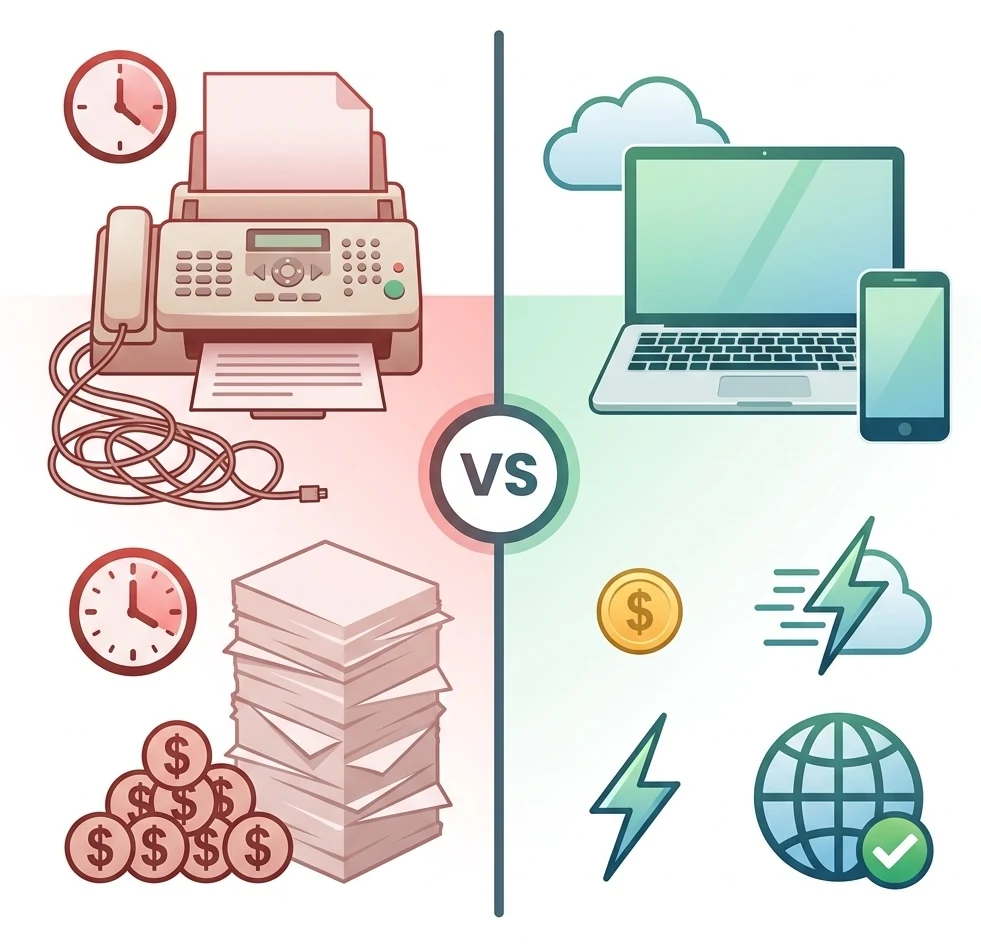
Method 1: Online Fax Services
This is the most popular and reliable method. Online fax services work through a web browser: you upload your document, type in the recipient's fax number, and click send. The service converts your file into a fax signal and transmits it over the phone network.
Benefits
- Works from any device with a browser
- Send and receive faxes
- Get a dedicated fax number
- HIPAA-compliant options available
- Delivery confirmation by email
For a complete comparison of all services with pricing, features, and compliance details, see our full fax alternatives guide.
Method 2: Email-to-Fax
If you prefer staying in your inbox, most online fax services include an email-to-fax feature. You compose an email, attach your document, and send it to a special address format, typically [email protected].
How It Works
- Open your email client (Gmail, Outlook, etc.)
- In the "To" field, type:
[email protected] - Attach your PDF or document
- Add a subject line (becomes the fax cover page)
- Hit Send; you'll get a delivery confirmation by email
This method requires a subscription with a fax provider. eFax, Fax.Plus, and SRFax all support email-to-fax. It's especially useful for teams already using email heavily: no new software to learn.
Method 3: Fax from Your Phone
Need to fax a signed document while you're out of the office? Mobile fax apps let you scan documents with your phone camera and send them directly as a fax. No printer or scanner needed.
Scan & Send
Use your camera to scan documents. The app converts them to fax-ready format automatically.
Sign & Fax
Add your signature directly on screen. No need to print, sign, and scan separately.
Cloud Integration
Send files directly from Google Drive, Dropbox, or iCloud without downloading first.
Best mobile fax apps: iFax (4.7/5 on App Store) and Fax.Plus ship the strongest iOS and Android apps. Dropbox Fax (formerly HelloFax) remains a web and email-to-fax service (no dedicated mobile app), but sending from Gmail, Google Docs or Dropbox covers most desktop use cases.
Method 4: Free Online Fax Tools
If you only need to send a fax once or twice, you might not need a subscription at all. A few services let you fax for free, with some limitations.
FaxZero: 100% Free
Send up to 5 faxes/day (3 pages each) to USA/Canada. No registration needed. Trade-off: ad on cover page.
Fax.Plus: 10 Free Pages/Month
Permanent free plan. Send to 190+ countries. No ads. Requires email signup.
CocoFax: 10 Free Pages on Signup
Includes a dedicated fax number. HIPAA + GDPR + PHIPA compliant even on the free tier.
Limitations to Know
Free tools work for occasional use. But they don't support receiving faxes, have page limits, and most lack HIPAA compliance. For regular business use, a paid plan starting at $4.99/month is worth considering.
For a detailed comparison of every free option, check our free online fax guide.
How to Send a Fax Online: Step by Step
Regardless of which service you choose, the process is virtually identical. Here's how to send your first fax in under 5 minutes.
Choose a service and sign up
For a quick fax to USA/Canada, go to FaxZero (no signup). For international or regular use, create a free Fax.Plus account.
Upload your document
Drag and drop your file: PDF, Word, Excel, or image formats (JPG, PNG) are all accepted. Most services also let you import from Google Drive or Dropbox.
Enter the fax number
Type the recipient's fax number in international format: +1 for USA/Canada, +44 for UK, +49 for Germany. Most services auto-detect the country.
Send and get confirmation
Click "Send." The service transmits your fax and sends you a delivery confirmation by email, usually within 1 to 5 minutes. You'll see the status in your dashboard too.
Pros & Cons of Faxing Without a Machine
Pros
- No hardware to buy or maintain
- Send from anywhere: computer, phone, tablet
- Free options available for occasional use
- Faster than finding a local fax shop
- Digital records of every fax sent
- HIPAA-compliant services available
Cons
- Free services have page limits
- Receiving faxes usually requires a paid plan
- Requires an internet connection
- Some recipients may prefer physical originals
- Free tools may add ads to cover pages
When Do You Actually Need to Fax?
Online fax isn't just a backup. For certain industries and situations, it's the primary method of document transmission.
Healthcare
Patient records, prescriptions, insurance claims. HIPAA requires specific security standards. Several online fax providers include compliance on every plan.
Legal & Contracts
Signed contracts, court filings, notarized documents. Fax provides a legal transmission record that email doesn't always guarantee.
Government & Banking
Tax forms, mortgage applications, official requests. Many agencies still require fax as the official submission channel.
Start With Fax.Plus: It's Free
10 free pages every month to 190+ countries. No credit card, no ads, no strings attached. Mobile apps for iOS and Android. Upgrade to 200 pages for just $6.99/mo if you need more.
Not sure which service fits your needs? Compare all 10 services side by side →
Frequently Asked Questions
Can I really send a fax without a fax machine?
Yes. Online fax services convert your digital documents into fax signals and transmit them over the phone network. The recipient receives a standard fax on their machine. They can't tell the difference. All you need is an internet connection.
What's the cheapest way to send a fax online?
FaxZero is 100% free for faxes to the USA and Canada (3 pages, ad on cover page). For international faxing, Fax.Plus offers 10 free pages per month to 190+ countries. The cheapest paid plan is CocoFax at $4.99/month for 60 pages; it advertises HIPAA, but the signed BAA runs through an Enterprise quote.
Can I fax from my iPhone or Android phone?
Absolutely. Several fax apps let you scan documents with your camera, add a signature, and send as a fax, all from your phone. Most popular options offer both iOS and Android apps.
Is online fax legally valid?
Yes. Online faxes are legally equivalent to traditional faxes. They provide transmission confirmations and are accepted by courts, healthcare organizations, and government agencies worldwide.
Can I receive faxes without a fax machine?
Yes, but it requires a dedicated fax number from a paid service. Incoming faxes are converted to PDF and delivered to your email or dashboard. Most major providers offer this feature. Check our comparison page for details.