Expert Guide β’ April 2026
Cloud Fax Services: Benefits & API Guide
Cloud fax replaces physical fax machines with secure, scalable infrastructure that integrates into your existing workflows via API. We tested 6 cloud fax platforms for reliability, developer experience, and real-world performance.
Why Businesses Are Moving to Cloud Fax
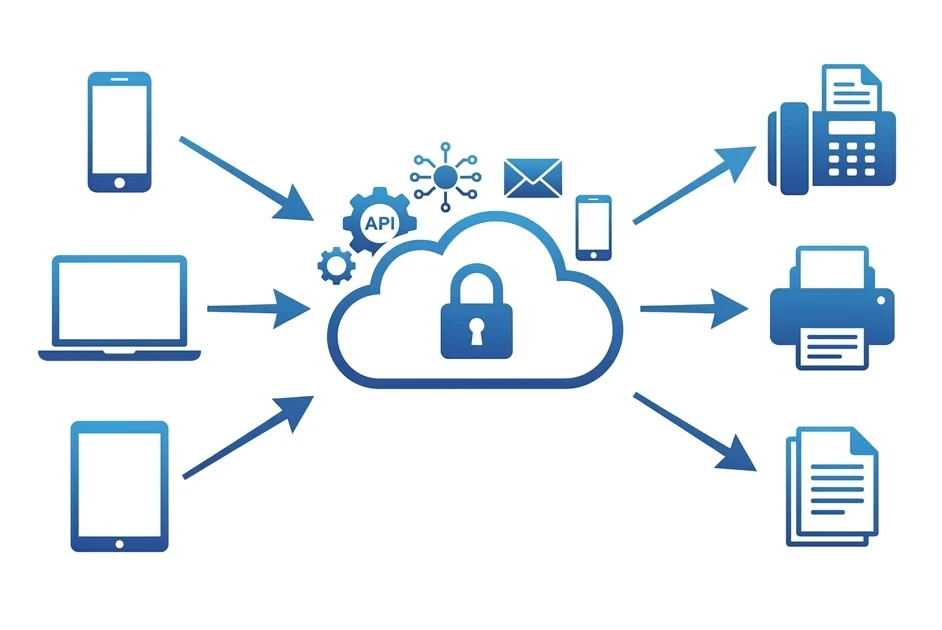
A cloud fax service does exactly what it sounds like: it moves your fax infrastructure from a physical machine on your desk to a secure server in the cloud. You send and receive faxes through a web dashboard, email, mobile app, or β for developers β a REST API.
The shift isn't just about convenience. Cloud fax eliminates hardware maintenance, phone line costs, and the physical security risks of paper documents sitting in a shared tray. For businesses in healthcare, legal, and finance β industries where fax remains mandated β cloud fax transforms a legacy obligation into a modern workflow.
The real game-changer is API integration. Instead of someone manually scanning and faxing documents, a cloud fax API lets your CRM, EHR, or accounting software send faxes automatically. Patient discharge summaries, invoice confirmations, signed contracts β all automated, all tracked, all compliant.
What Is a Cloud-Based Fax Service?
A cloud-based fax service replaces the traditional fax machine with software that runs on remote servers. Instead of dialing a phone line, your documents are converted to fax signals digitally, transmitted over the internet, and delivered to the recipient's fax machine or cloud inbox.
Here's the difference in practice: with a physical fax machine, you print a document, feed it into the machine, dial a number, and wait. With cloud fax, you upload a PDF, type the fax number, and click send β from your phone, laptop, or via an automated API call. The result on the receiving end is identical: a standard fax transmission that any fax machine in the world can receive.
Upload your document
Send a PDF, Word doc, or image through the web dashboard, email, mobile app, or API call.
Cloud converts & transmits
The cloud service converts your document to a fax signal and transmits it over the PSTN (public telephone network) to the recipient's fax machine.
Delivery confirmation
You receive a delivery report via email, dashboard notification, or API webhook β typically within 1β3 minutes.
Benefits of Cloud Fax for Businesses
Cloud fax isn't just a digital version of a fax machine β it fundamentally changes how businesses handle document transmission.
π° Cost Reduction
No fax machine ($200β$500), no dedicated phone line ($30β$50/mo), no toner, no paper. Cloud fax starts at $6.99/month for 200 pages β a fraction of traditional costs.
π Scalability
Send 10 faxes or 10,000 β cloud infrastructure scales automatically. No capacity planning, no busy signals, no hardware upgrades.
π Remote Access
Send and receive faxes from any device, anywhere. No need to be physically near a fax machine β critical for remote teams and distributed offices.
π Security & Compliance
TLS encryption in transit, encrypted storage at rest, HIPAA/SOC 2 compliance. No paper sitting in an open tray where anyone can read it.
Who Uses Cloud Fax?
π₯ Healthcare
Clinics, hospitals, and pharmacies use cloud fax to send referrals, lab results, and prescriptions β often integrated directly into EHR systems via API.
βοΈ Legal & Finance
Law firms and financial institutions use cloud fax for signed contracts, compliance documents, and regulatory filings where fax transmission provides a legal audit trail.
π§ SaaS & Automation
SaaS platforms integrate fax APIs to offer faxing as a feature within their own products β CRM notifications, order confirmations, and automated document workflows.
Cloud Fax API Integration Guide
A fax API lets your software send and receive faxes programmatically β no human interaction required. Here's how it works and when it makes sense.
What Is a Fax API?
A fax API (Application Programming Interface) is a set of endpoints that your application calls to send faxes, check delivery status, and retrieve received faxes. Most cloud fax APIs follow REST conventions, accepting JSON requests and returning JSON responses. You typically authenticate with an API key or OAuth token.
How Integration Works
The basic flow is straightforward:
- Authenticate β Your app sends its API key with each request
- Send a fax β POST a request with the document (Base64-encoded or URL) and recipient fax number
- Track delivery β Poll the status endpoint or receive a webhook callback when the fax delivers (or fails)
- Receive faxes β Incoming faxes trigger a webhook to your app, delivering the PDF content
Common API Use Cases
Auto-fax proposals, contracts, or invoices when a deal moves to a specific stage in Salesforce, HubSpot, or your custom CRM.
Automatically fax patient referrals, discharge summaries, or lab results directly from your electronic health records system.
Trigger fax sends from document management systems when files are approved, signed, or reach a specific workflow stage.
Send fax confirmations for orders, shipping notifications, or compliance alerts to partners who still rely on fax.
API Pricing Note
Most providers restrict API access to higher-tier plans. Fax.Plus requires Business ($19.99/mo), iFax requires Professional ($49.99/mo), and eFax requires an Enterprise agreement. SRFax and Documo include API access on all paid plans. Factor this into your total cost of ownership.
Best Cloud Fax Services Compared
All prices verified on official websites in April 2026. Annual billing shown where applicable.
| Service | Price | Pages | API | Cloud Storage | Best For | Try |
|---|---|---|---|---|---|---|
Fax.Plus | $6.99/mo | 200 pages | β | β | Best overall β API access, cloud integrations, and free tier | Try β |
eFax | $18.99/mo | 170 pages | β | β | Enterprise cloud fax with maximum compliance certifications | Try β |
Documo | $25/mo | 300 pages | β | β | Healthcare cloud fax with AI-powered document processing | Try β |
SRFax | $12.60/mo | 200 pages | β | β | Developer-friendly API with ready-made libraries | Try β |
iFax | $12.49/mo | 200 pages | β | β | Cloud fax with best mobile experience and storage integrations | Try β |
RingCentral | $30/user/mo | Unlimited (with plan) | β | β | Unified cloud communications with fax built in | Try β |
Each Cloud Fax Service, Reviewed
We created accounts, tested API endpoints, measured delivery times, and evaluated developer documentation for each platform.
1. Fax.Plus
Best overall β API access, cloud integrations, and free tier
Fax.Plus checks every cloud fax box: native Google Drive and Dropbox integration, a well-documented REST API (available on Business and Enterprise plans), and Zapier connectivity for workflow automation. In our testing, faxes sent via API delivered in under 90 seconds with full delivery tracking. The free tier (10 pages/month) lets you evaluate the platform before committing. For teams that need cloud fax with API access at a reasonable price, Fax.Plus offers the best balance of features, coverage (180+ countries), and cost.
β Pros
- REST API with full documentation
- Google Drive & Dropbox integration
- Zapier connectivity for automation
- 180+ country coverage
- Free tier available
β Cons
- API restricted to Business plan ($19.99/mo)
- Free pages don't roll over
2. eFax
Enterprise cloud fax with maximum compliance certifications
eFax operates on the Consensus Cloud Solutions infrastructure β one of the largest cloud fax networks in the world, processing billions of pages annually. Enterprise clients get API access, SSO integration, and the triple certification stack (HITRUST, SOC 2 Type II, FedRAMP) that regulated industries demand. The API is enterprise-grade but not self-serve β you'll need to contact sales for access. For organizations where compliance trumps everything else, eFax's cloud infrastructure is battle-tested at scale. The consumer pricing ($18.99/mo for 170 pages) is steep, but the enterprise tier is where eFax truly shines.
β Pros
- Consensus Cloud β billions of pages processed
- HITRUST + SOC 2 + FedRAMP certified
- Enterprise API with SSO
- 24/7 phone support
- 200+ countries
β Cons
- $18.99/mo for 170 pages β expensive
- API not self-serve β requires sales contact
- Dated web interface
3. Documo
Healthcare cloud fax with AI-powered document processing
Documo is the most technically advanced cloud fax platform on this list. Their Intelligent Document Processing (IDP) engine uses OCR and AI to automatically classify incoming faxes β lab results, referrals, prescriptions β and route them to the right department. The REST API is robust and well-documented, designed for developers building fax into EHR systems, CRMs, or custom healthcare applications. Direct integrations with PointClickCare and ModMed eliminate manual data entry. At $25/month it's the priciest option, but for multi-provider clinics processing 50+ faxes daily, the automation ROI is immediate.
β Pros
- AI-powered OCR and auto-routing
- Full REST API for developers
- Direct EHR integration (PointClickCare, ModMed)
- HIPAA on every plan
- 14-day free trial
β Cons
- Starting at $25/mo β most expensive
- Overkill for simple faxing needs
4. SRFax
Developer-friendly API with ready-made libraries
SRFax stands out for developers: their REST API ships with ready-to-use class libraries in PHP, C#, and Ruby β not just documentation, but actual code you can drop into your project. For teams building fax capabilities into practice management software, EHR systems, or custom CRM integrations, this saves weeks of development time. The API covers sending, receiving, status polling, and fax retrieval. Free PGP encryption on all plans adds a security layer that competitors charge extra for. HIPAA, PHIPA, and PIPEDA compliance covers both sides of the US-Canada border. No free trial, though β you commit from day one.
β Pros
- REST API with PHP, C#, Ruby libraries
- Free PGP encryption on all plans
- HIPAA + PHIPA + PIPEDA compliant
- Human phone support
β Cons
- No free trial or free plan
- USA/Canada numbers only
- Dated web interface

5. iFax
Cloud fax with best mobile experience and storage integrations
iFax combines a polished cloud experience with native storage integrations β Google Drive, Dropbox, OneDrive, and Box are all supported. Received faxes automatically sync to your connected cloud accounts. The API is available on the Professional plan ($49.99/mo for 1,000 pages), making it viable for mid-volume businesses that also need mobile-first access. The mobile app (4.7 stars, 100K+ reviews) includes a camera scanner and built-in eSignature. HIPAA compliance comes standard on every plan. For teams that need cloud storage syncing plus occasional API access, iFax bridges the gap between consumer simplicity and developer capability.
β Pros
- Google Drive, Dropbox, OneDrive, Box sync
- API on Professional plan
- Best mobile app (4.7/5)
- HIPAA on every plan
β Cons
- API only on Professional ($49.99/mo)
- 50+ countries β not the widest reach
6. RingCentral
Unified cloud communications with fax built in
RingCentral isn't a fax service β it's a full cloud communications platform (UCaaS) that includes fax as part of its phone, video, and messaging suite. Over 400,000 businesses use it. The API is extensive and mature, covering not just fax but voice, SMS, and video conferencing. For companies that need fax as part of a broader cloud communications strategy, RingCentral eliminates the need for a separate fax provider. The fax capability is solid but not the primary focus β you won't get AI-powered OCR or healthcare-specific features. Best for businesses already considering or using cloud phone systems.
β Pros
- Fax + phone + video + messaging in one platform
- 400K+ business clients β proven at scale
- Robust, mature API ecosystem
- HIPAA available on eligible plans
β Cons
- $30/user/mo β expensive for fax-only use
- Fax is a feature, not the core product
- Overkill if you only need fax

Fax.Plus β Best Cloud Fax Service Overall
REST API, cloud integrations (Google Drive, Dropbox), 180+ countries, free tier. Upgrade to Business ($19.99/mo) for API access. The best balance of features, coverage, and price.
Need a broader comparison? View our full 2026 fax service rankings β
Frequently Asked Questions
Is cloud fax secure?
Yes β reputable cloud fax services encrypt data both in transit (TLS) and at rest (AES-256). Services like eFax hold HITRUST and SOC 2 certifications. For healthcare, look for providers with HIPAA compliance and a signed Business Associate Agreement (BAA). Cloud fax is generally more secure than a physical fax machine, where documents sit in an open tray accessible to anyone.
What is a fax API?
A fax API is a set of programmatic endpoints that let your software send and receive faxes without human interaction. Your app makes HTTP requests to the API with the document and fax number, and the cloud service handles the transmission. Most fax APIs use REST architecture and support webhooks for real-time delivery notifications.
Can I use cloud fax for HIPAA-compliant business faxing?
Yes, several cloud fax services support HIPAA compliance. iFax, CocoFax, and Documo include HIPAA on every plan. Fax.Plus offers it on Business ($19.99/mo) and above. eFax holds HITRUST certification, the gold standard for healthcare. Always request a signed BAA from your provider before transmitting protected health information.
How much does cloud fax cost?
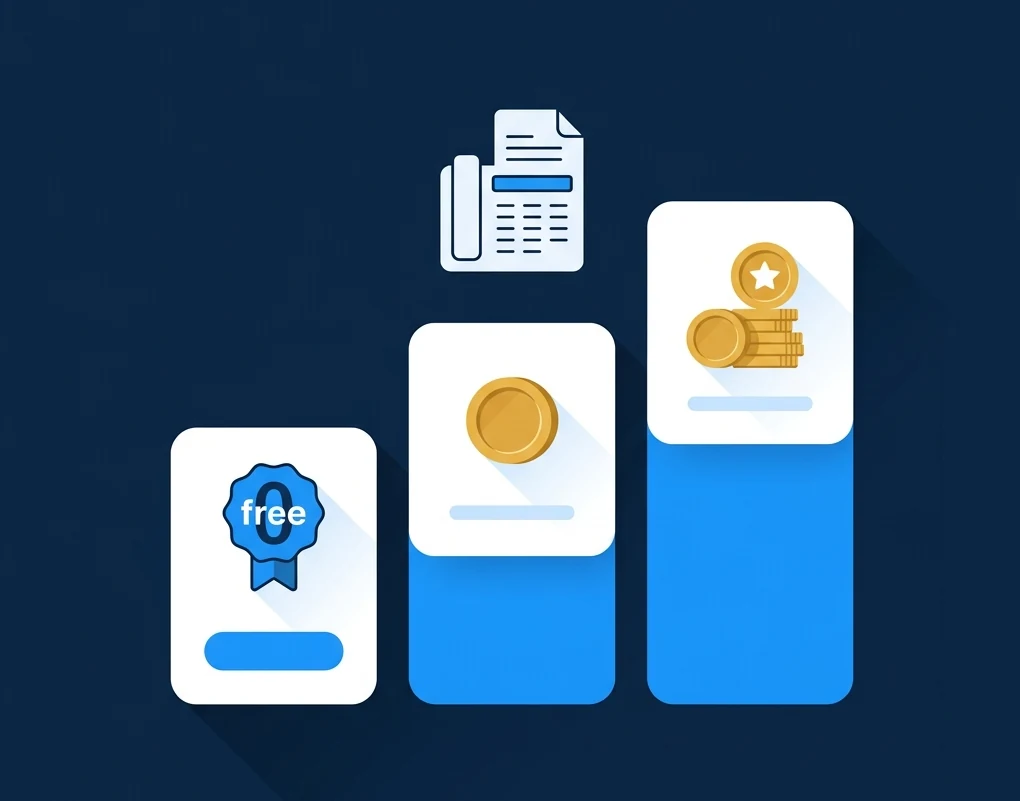
Cloud fax pricing ranges from free (Fax.Plus offers 10 pages/month) to $30+/user/month for enterprise platforms like RingCentral. Most businesses pay between $7 and $25/month. API access typically requires higher-tier plans β budget $20β$50/month if you need programmatic access.
Can cloud fax replace my physical fax machine?
In most cases, yes. Cloud fax sends and receives standard fax transmissions that are compatible with any fax machine worldwide. The only scenario where a physical machine might still be needed is if you have no internet access at all. For every other situation, cloud fax provides better security, lower costs, and more flexibility.
Ready to Move Your Fax to the Cloud?
No hardware, no phone lines, no maintenance. Just secure, scalable faxing from any device.