Practical GuideApril 2026
How to Send a Fax from Your Computer
You don't need a fax machine, a phone line, or any special hardware. With the right service, you can send a fax from any computer (Windows, Mac, or Chromebook) in under two minutes. Here are all four methods, tested in April 2026.
Can You Send a Fax from a Computer Without a Fax Machine?
Yes, and it's actually the most common way faxes are sent today. Online fax services act as a bridge between your computer and the global fax network. You upload a document (or send an email), the service converts it and transmits it to the recipient's fax machine. No modem, no phone line, no fax machine on your end.
We tested all four methods with real fax transmissions in April 2026. Here's the fastest approach:
Fastest method
Go to Fax.Plus → create a free account → click "Send Fax" → enter the recipient's fax number → upload your PDF or Word file → click Send. Done in about 90 seconds. You get 10 free pages per month.
Method 1: Online Fax Service (Easiest)
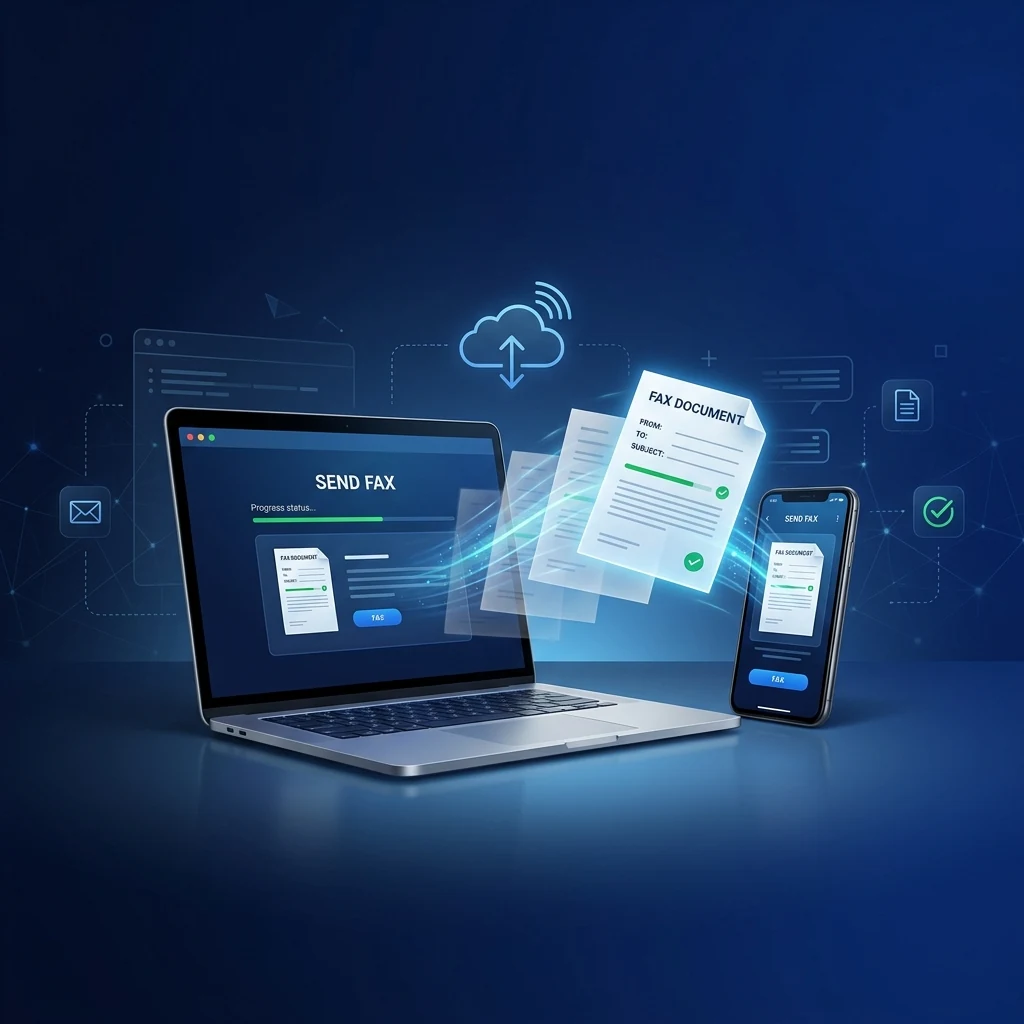
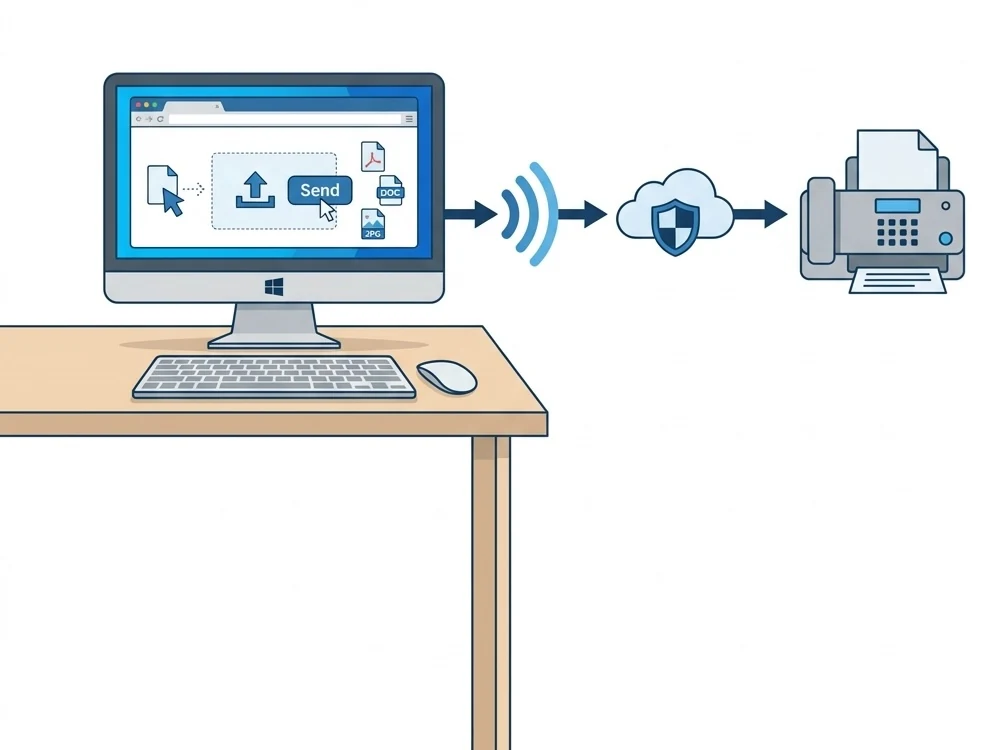
The simplest and most popular method. Open a website, upload your document, type the fax number, and click Send. Works on any computer with a web browser: no software to install.
Create a free account
Sign up at Fax.Plus (10 free pages/month, no credit card required) or any top-rated fax service. Registration takes 30 seconds.
Click "Send Fax" and enter the recipient
From the dashboard, click "Send Fax." Enter the recipient's full fax number including country code (e.g., +1 555 123 4567). Add a cover page note if needed.
Upload your document
Drag and drop or browse for your file. Supported formats include PDF, Word (.docx), Excel (.xlsx), images (JPG, PNG, TIFF), and more. Most services support up to 20 MB per fax.
Hit Send: delivery confirmed
Click Send. The service converts your file and transmits it via the fax network. You'll receive a delivery confirmation by email, usually within 1–3 minutes. That's it.
Why this is the best method
Online fax services work on any operating system (Windows, Mac, Linux, Chrome OS) and require zero installation. They also handle receiving faxes, provide delivery tracking, and offer HIPAA/GDPR compliance options. This is what we recommend for 90% of users.
Method 2: Email-to-Fax (No Website Needed)
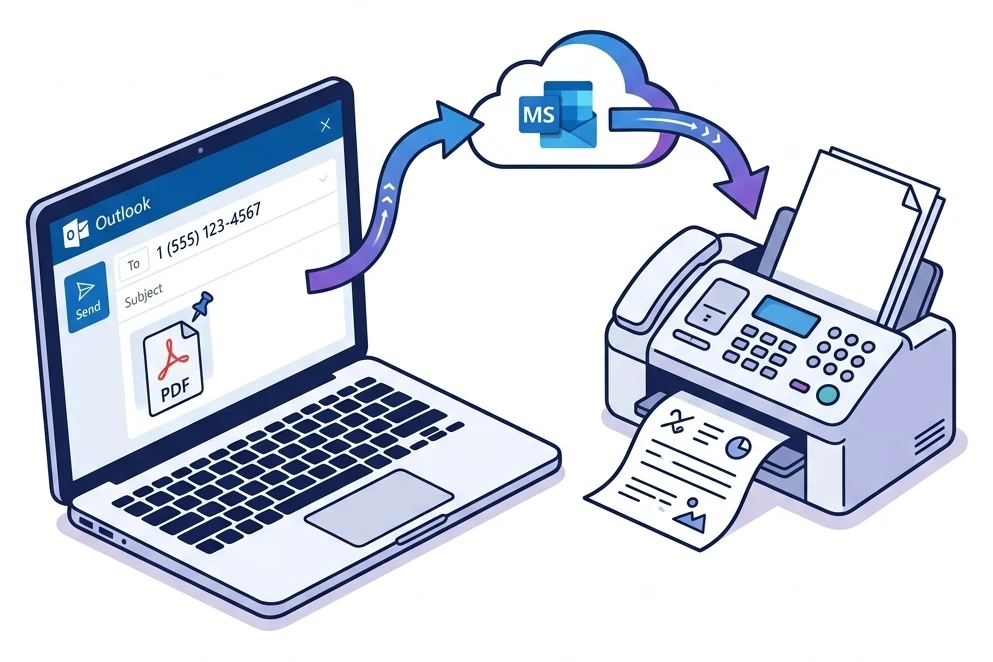
Prefer to stay in your inbox? Most fax services support email-to-fax: compose an email, type the fax number in the "To" field using a special format, attach your document, and hit Send. Works with Gmail, Outlook, Yahoo, Apple Mail, or any other email client on your computer.
Register your email address
Create an account at Fax.Plus or another provider and register the email address you'll send faxes from. This is a security step to prevent unauthorized faxing.
Compose an email with the fax number
In the "To" field, type the fax number followed by your provider's domain. For example: [email protected]. The subject line becomes the cover page text.
Attach your document and send
Attach a PDF, Word, or image file. Hit Send. The provider receives your email, converts the attachment to fax format, and transmits it. You'll get a delivery receipt in your inbox within minutes.
Email-to-fax addresses by provider
| Provider | Format | Example |
|---|---|---|
| Fax.Plus | [email protected] | [email protected] |
| eFax | [email protected] | [email protected] |
| MyFax | [email protected] | [email protected] |
| CocoFax | Via web dashboard | Upload then forward to CocoFax |
For a deeper dive on email faxing, see our Gmail fax guide or our Outlook fax guide.
Method 3: Free Browser-Based Fax (No Account)
Need to send a single fax without creating an account? A few services let you fax directly from a web form, completely free.
FaxZero: 100% free, US/Canada
5 faxes per day, 3 pages each. No sign-up, no credit card. Just fill out a web form, attach your file, and send. The catch: FaxZero branding on the cover page (removable for $1.99).
Fax.Plus: 10 free pages/month worldwide
Requires a free account (30 seconds). Send to 190+ countries. No branding, delivery confirmation included. The most versatile free option.
See our full list of free online fax options for more choices.
Method 4: Built-in OS Fax Tools
Surprisingly, some operating systems still include legacy fax support, though they all require a phone line or fax modem. Here's a quick overview:
Windows Fax and Scan
Built into Windows 10/11 Pro and Enterprise editions. Open Windows Fax and Scan from the Start menu, connect a fax modem via USB, and send. Limitation: Requires physical fax modem hardware and a phone line, which defeats the purpose for most users.
Verdict: Not recommended. Use Method 1 instead.
macOS: No Built-in Fax
Apple removed the built-in fax driver in macOS Catalina (2019). There is no native fax option on modern Macs. Your only option is an online fax service (Method 1) or email-to-fax (Method 2). Both work perfectly on Safari and Chrome.
Verdict: Use an online service. It's actually easier.
Chromebook: Web Only
Chrome OS has no fax drivers and can't connect to fax modems. But that's not a problem: Method 1 (online fax service) works perfectly in Chrome. Open Fax.Plus or any web-based service, upload your file, and send.
Verdict: Online fax services are your only and best option.
Bottom line
Built-in OS fax tools are outdated and require hardware you probably don't have. Online fax services (Method 1) work on every computer, require no installation, and are faster, cheaper, and more secure. We recommend skipping this method entirely.
Best Fax Services for Computer: Comparison
We tested which services work best from a computer browser. Here's the breakdown:
| Service | Web App | Email-to-Fax | Free Plan | Price | HIPAA | OS Support |
|---|---|---|---|---|---|---|
| Fax.Plus | ✓ | ✓ | 10 pg/mo | $6.99/mo | ✓ | All |
| CocoFax | ✓ | ✓ | 10 pg trial | $4.99/mo | ✓ | All |
| eFax | ✓ | ✓ | $5 1st mo | $18.99/mo | — | All |
| iFax | ✓ | ✓ | — | $8.33/mo | ✓ | All |
| FaxZero | ✓ | ✕ | 100% free | Free | ✕ | All |
For the full comparison with all services, see our 2026 online fax service rankings.
What Files Can I Fax from My Computer?
Modern fax services accept virtually any common document format. You don't need to convert anything. Just upload and send:
The gold standard. All services accept PDF.
.docx, .xlsx, .pptx: auto-converted.
JPG, PNG, TIFF, BMP: scans work great.
RTF, TXT, HTML: varies by service.
For optimal results, use PDF at 200+ DPI. See our fax format guide for formatting best practices.
Pros and Cons of Faxing from a Computer
Pros
- No hardware needed: no fax machine, modem, or phone line
- Works on any computer: Windows, Mac, Linux, Chromebook
- Fast: upload and send in under 2 minutes
- Automatic archiving: digital copies of every sent and received fax
- Free options available: FaxZero (US/CA) and Fax.Plus (10 pages/month)
- Compliance ready: HIPAA, GDPR, and SOC 2 options available
- Send and receive: get a fax number and receive faxes as PDFs
Cons
- Internet required: no offline faxing
- Monthly limits on free plans: heavy users need a paid subscription
- Receiving costs extra: free plans typically only cover sending
- Delivery is not instant: faxes take 1–3 minutes per page
- Document quality varies: low-resolution files may look blurry
Fax.Plus: Works on Any Computer
Web app, email-to-fax, Gmail and Outlook integration. 10 free pages/month to 190+ countries. HIPAA and SOC 2 compliant. The most universal fax solution for any computer.
Frequently Asked Questions
Can I send a fax from my computer for free?
Yes. FaxZero is 100% free for US/Canada (5 faxes/day, 3 pages each). Fax.Plus offers 10 free pages per month to 190+ countries, no credit card required. See our complete free fax guide for more options.
Do I need to install any software?
No. All recommended services work entirely in your web browser. No downloads, no drivers, no plugins. Just open the website, upload your file, and send. This works on Windows, Mac, Chromebook, and even Linux.
Can a computer receive faxes too?
Yes. When you sign up with a fax service, you can get a dedicated fax number. Incoming faxes are delivered as PDF attachments to your email inbox. You can view, download, print, and archive them like any other email.
Is faxing from a computer secure?
Yes, when using a reputable service. Fax.Plus uses TLS encryption in transit, stores data encrypted at rest, and is HIPAA/SOC 2 compliant. CocoFax also advertises GDPR and PHIPA, though those claims are self-attested. Online fax is generally more secure than a physical fax machine, which can leave documents sitting in an open tray.
Can I send a fax from my computer to an international number?
Yes. Most online fax services support 40–190+ countries. Include the full country code in the fax number (e.g., +44 for UK, +81 for Japan). Check our fax number directory for country codes and formats.
What about Windows Fax and Scan?
Windows Fax and Scan still exists in Windows 10/11 Pro but requires a physical fax modem and an active phone line, hardware most users don't have. For modern computer faxing without hardware, use an online service instead.